
Hi B4X developers!
Are you looking to add some eye-catching modern flair to your UI? I am excited to introduce B4XDaisyAura—a wrapper inspired by daisyUI's "aura" component.
B4XDaisyAura is a decorative wrapper that draws a beautiful, rotating conic-gradient "border light" around any child view (such as a card, button, or panel). The magic is that the child sits in a fixed slot on top while only the conic ring behind it rotates, meaning the child view never moves!.
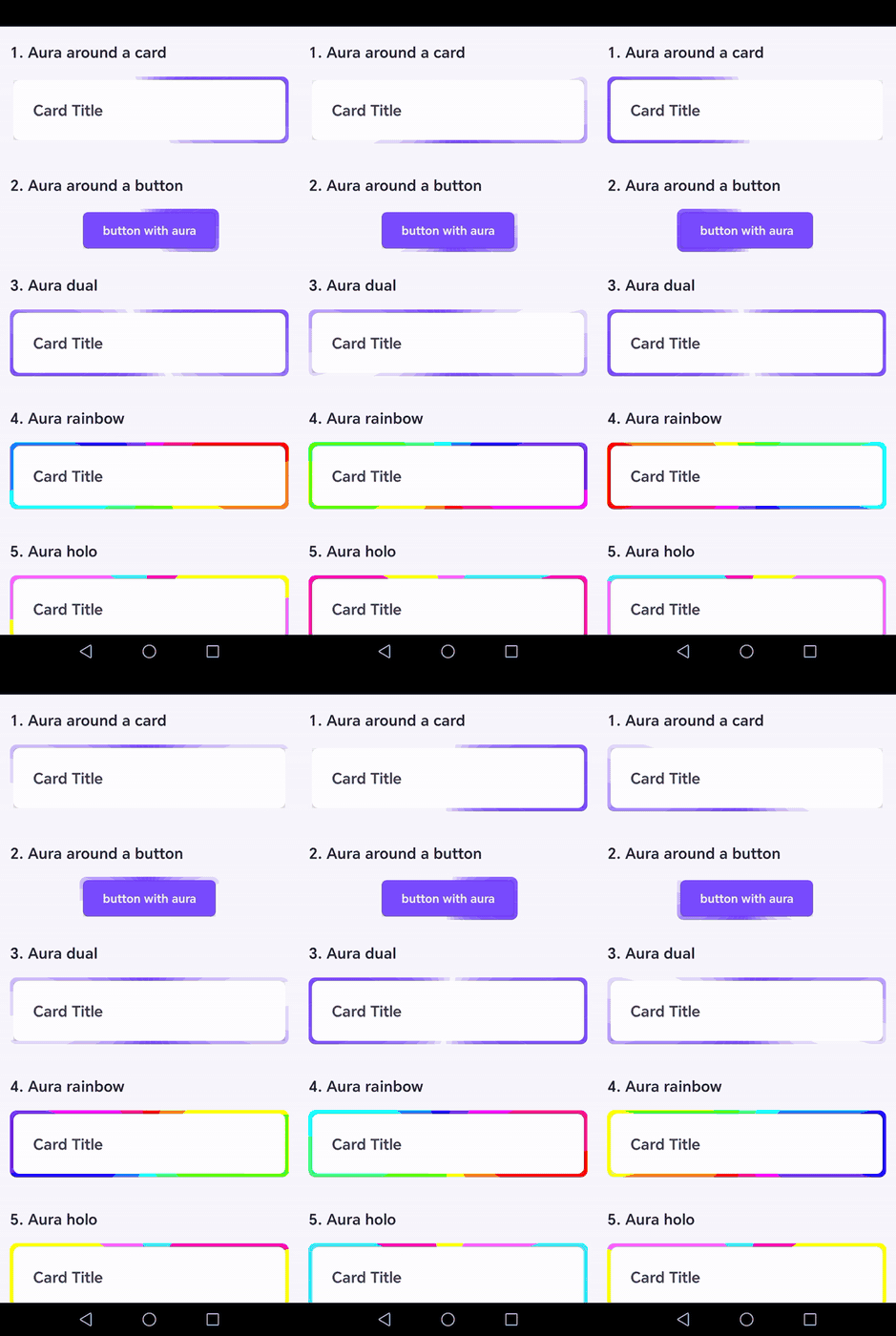
Key Features:
Important Notes:
Are you looking to add some eye-catching modern flair to your UI? I am excited to introduce B4XDaisyAura—a wrapper inspired by daisyUI's "aura" component.
B4XDaisyAura is a decorative wrapper that draws a beautiful, rotating conic-gradient "border light" around any child view (such as a card, button, or panel). The magic is that the child sits in a fixed slot on top while only the conic ring behind it rotates, meaning the child view never moves!.
Key Features:
- Zero Shaders: It renders using proven primitives (filled pie wedges on a B4XCanvas) and a native Android infinite RotateAnimation.
- Highly Customizable: Choose from gorgeous built-in color styles (default, glow, dual, rainbow, holo, gold, silver) and varying ring thicknesses (xs, sm, md, lg, xl).
- Safe & Self-Contained: It's a brand-new class that edits no existing components. It uses a fixed clipping panel (setClipToOutline) so the rotating disc is always cleanly clipped to your child's rounded shape.
B4X:
Sub Class_Globals
    Private Root As B4XView
    Private xui As XUI

    ' 1. Declare our Aura wrapper and the button we want to put inside it
    Private myAura As B4XDaisyAura
    Private myButton As Button
End Sub

Private Sub B4XPage_Created (Root1 As B4XView)
    Root = Root1

    ' 2. Initialize the Aura component
    myAura.Initialize(Me, "myAura")

    ' 3. Add the aura to the page layout (Set its size to accommodate the child + ring thickness)
    ' Set the properties BEFORE AddToParent so the wrapper calculates the right thickness!
    myAura.setStyle("rainbow") ' Options: default, glow, dual, rainbow, holo, gold, silver
    myAura.setSize("md")       ' Ring thickness Options: xs, sm, md, lg, xl
    myAura.setDuration(3000)   ' Rotation period in milliseconds
    myAura.setVisible(True)

    myAura.AddToParent(Root, 50dip, 50dip, 200dip, 60dip)

    ' 4. Initialize your button and WRAP it inside the Aura!
    myButton.Initialize("myButton")
    myButton.Text = "Click Me!"
    myButton.Color = xui.Color_White
    myButton.TextColor = xui.Color_Black

    myAura.Wrap(myButton)
End Sub

' 5. Handle the button click normally!
Private Sub myButton_Click
    Log("Glowing button was clicked!")
End Sub

' ⚠️ CRITICAL: Always release the component when the page disappears to prevent animation/canvas leaks!
Private Sub B4XPage_Disappear
    If myAura.IsInitialized Then
        myAura.Release
    End If
End Sub
Important Notes:
- The Wrap method places your already-created control into the Aura's slot.
- Always call Release in your B4XPage_Disappear event. This safely stops the infinite animation and clears the canvas to ensure your app remains memory-leak free.
