JackcessDemo (problem)

ciginfo

Well-Known Member
Licensed User
Longtime User
Hello
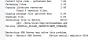
Why this message when I run JackcessDemo?
Northwind.mdb is really in Jackcess\Files
Thank you
 

Attachments

  • erreur.png
    erreur.png
    23 KB · Views: 383

ciginfo

Well-Known Member
Licensed User
Longtime User
If I work on other PC, there is an other problem with JackcessDemo, while it works very well with other applications.

Signing package file (private key) 1.10
ZipAlign file. 0.04
Installing file to device. Error
pkg: /data/local/tmp/JackcessDemo.apk
Failure [INSTALL_FAILED_INSUFFICIENT_STORAGE]

Restarting ADB Server may solve this problem.
Tools - Restart ADB Server. Device serial: emulator-5554


Restarting ADB Server is not effective
I don't understand. If you have an idea?
Thank you
 

Attachments

  • erreur2.png
    erreur2.png
    8 KB · Views: 357
Upvote 0

ciginfo

Well-Known Member
Licensed User
Longtime User
1°) You think "Northwind.mdb" is too heavy? How can increase the storage capacity?

2°) And what means the error message on the first PC?
 
Upvote 0

Mahares

Expert
Licensed User
Longtime User
Bonjour ciginfo:
Maybe the device you have does not have or does not support external sd card (it does not have to be a proper external card). Change the code to:
File. DirDefaultExternal instead of File.DirRootExternal and see what happens.
 
Upvote 0

ciginfo

Well-Known Member
Licensed User
Longtime User
Here the logs but I don't understand always.

B4X:
** Activity (main) Create, isFirst = true **
** Activity (main) Resume **
main_activity_resume (B4A line: 44)
File.Copy(File.DirAssets, "Northwind.mdb", File.DirRootExternal, "Northwind.mdb")
java.io.IOException
   at android.content.res.AssetManager.readAsset(Native Method)
   at android.content.res.AssetManager.access$700(AssetManager.java:36)
   at android.content.res.AssetManager$AssetInputStream.read(AssetManager.java:571)
   at anywheresoftware.b4a.objects.streams.File.Copy2(File.java:336)
   at anywheresoftware.b4a.objects.streams.File.Copy(File.java:325)
   at b4a.jackcessdemo.main._activity_resume(main.java:280)
   at java.lang.reflect.Method.invokeNative(Native Method)
   at java.lang.reflect.Method.invoke(Method.java:521)
   at anywheresoftware.b4a.BA.raiseEvent2(BA.java:167)
   at anywheresoftware.b4a.BA.raiseEvent(BA.java:151)
   at b4a.jackcessdemo.main.afterFirstLayout(main.java:91)
   at b4a.jackcessdemo.main.access$100(main.java:16)
   at b4a.jackcessdemo.main$WaitForLayout.run(main.java:72)
   at android.os.Handler.handleCallback(Handler.java:587)
   at android.os.Handler.dispatchMessage(Handler.java:92)
   at android.os.Looper.loop(Looper.java:123)
   at android.app.ActivityThread.main(ActivityThread.java:4627)
   at java.lang.reflect.Method.invokeNative(Native Method)
   at java.lang.reflect.Method.invoke(Method.java:521)
   at com.android.internal.os.ZygoteInit$MethodAndArgsCaller.run(ZygoteInit.java:868)
   at com.android.internal.os.ZygoteInit.main(ZygoteInit.java:626)
   at dalvik.system.NativeStart.main(Native Method)
java.io.IOException
 
Upvote 0

agraham

Expert
Licensed User
Longtime User
It's odd that there is no message associated with the IOException. You could try two things.

1) Catch the Exception with Try..Catch and see if LastException.Message returns any useful information. I guess it may be blank which is not helpful.

2) Avoid this step altogether, remove northwind.mdb from Files and manually put it on the device removing the first line of Activity_Resume.
 
Upvote 0

ciginfo

Well-Known Member
Licensed User
Longtime User
Thank you for your answer. I use virtual device on the computer created with AVD Manger in the SDK and I don't know how to put Northwind.MDB directly in the virtual device .
 
Upvote 0

ciginfo

Well-Known Member
Licensed User
Longtime User
No, it is the same thing. I have put Northwind.mdb on the virtual device into the file "data", I have deleted the first line in activity Resume, I've tried to change DirRootExternal into DirDefaultExternal, always the same thing
 
Upvote 0

ciginfo

Well-Known Member
Licensed User
Longtime User
OK, now it runs fine. Thank you for all the time you spent on my problem.
1°) Do you think it will be the same problem if I use another base.mdb?
2°) Do you think it will be the same problem also if I use a real device?
3°) In my application I have to download a "Base.mdb" (because varies daily) at opening tne appli before running the appli.
What is the line of code to download in File.DirRootExternal? Then I think that on a real device, first line "File.Copy (File.DirAssets," Data.mdb "File.DirRootExternal," Data.mdb ")" must be kept and will run fine, or have I also to change this line ?
Thank you again, I hope not disturb you more.
 
Upvote 0
Top