Special character in ListView (►) ?

mangojack

Expert
Licensed User
Longtime User
B4X:
ListView1.AddSingleLine("►")

hold down ALT key and type 16 on numeric keypad.
Cheers mj
 
Upvote 0

fabioferreiracs

Member
Licensed User
Longtime User
B4X:
ListView1.AddSingleLine("►")

hold down ALT key and type 16 on numeric keypad.
Cheers mj

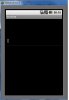
It's dont work. See the printscreen
 

Attachments

  • SpecialCharacter16jpg.jpg
    SpecialCharacter16jpg.jpg
    25.8 KB · Views: 356
Upvote 0

mangojack

Expert
Licensed User
Longtime User
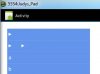
Works for me ..

hmm . These extended chars always have worked for me .. dont know ,maybe someone with more knowledge can expand on this.

Sorry .. Cheers mj
 

Attachments

  • Capture.JPG
    Capture.JPG
    14.1 KB · Views: 350
Upvote 0

mangojack

Expert
Licensed User
Longtime User
Windows Character Map ..

You could copy special characters from Windows Character Map.
Start > All Programs > Accessories > System Tools > Character Map ... applies xp vista & win7

hope this helps

Cheers mj
 

Attachments

  • Capture.JPG
    Capture.JPG
    18.8 KB · Views: 359
Last edited:
Upvote 0

fabioferreiracs

Member
Licensed User
Longtime User
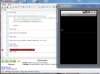
see my printscreen, i use the map characters for windows and dont work !:BangHead:
 

Attachments

  • specialcharacter3.jpg
    specialcharacter3.jpg
    55.5 KB · Views: 314
Upvote 0
Top