Android Question Sub Menu in notification service

Shay

Well-Known Member
Licensed User
Longtime User
Hi

I saw on "waze" app that there is sub menu on the notification service
that allow you to shut down the app from the notification

so if I create service with notification, how can I create sub menu under the notification?
 

barx

Well-Known Member
Licensed User
Longtime User
You got a screenshots.?
 
Upvote 0

DonManfred

Expert
Licensed User
Longtime User
I dont know this app either. But i think the app is using something like the custom-notificationlayout (see here and here)
 
Upvote 0

Shay

Well-Known Member
Licensed User
Longtime User
I cannot do screen shoot from notification bar
yes I need in the notification bar, I have my app title there, under it, I wish to have 2 more sub button
 
Upvote 0

barx

Well-Known Member
Licensed User
Longtime User
There shouldn't be anything stopping you taking a screenshot of the notification bar.

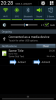
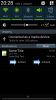
Is this the look you are after??


Attachments

  • nbaction.png
    nbaction.png
    52.6 KB · Views: 432
Upvote 0

Shay

Well-Known Member
Licensed User
Longtime User
this can also be good
(I was looking for action1 below action2)
how do I do it?
 
Upvote 0

Shay

Well-Known Member
Licensed User
Longtime User
so Barx, how do I do it? (based on your pic above, and if I can do, one below the other?)
thanks
 
Upvote 0

barx

Well-Known Member
Licensed User
Longtime User
I have no idea how to do it one above the other. I'm assuming it is using pending intents, Some had a play with this and notifications butI have no idea how it is done, sorry.

The side by side are simply 'actions' which are part of the notification builder lib. Check the demo app.
 
Upvote 0
Top