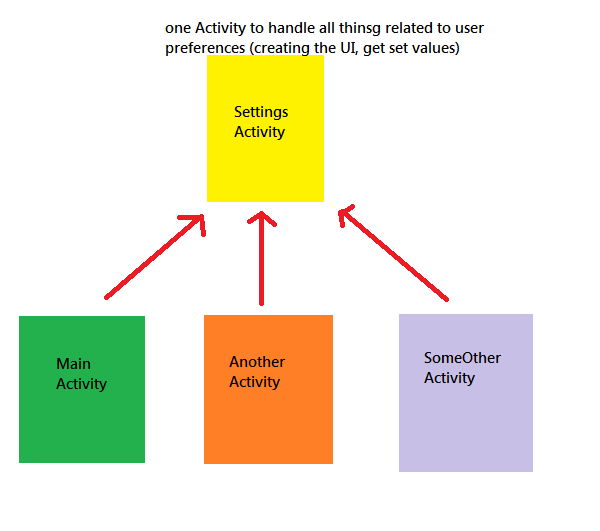
I'm creating a Settings feature for an app as described here. I put all the code related to the Settings function in a separate Activity and called it from another Activity. But when I do that, I get a runtime error saying the app has stopped unexpectedly. No clear error description is given. Here's the code I've written..
The Main Activity :
The Settings Activity :
When I use all the above code in a single Activity, it runs without any problem. It throws the error only when I put it in two separate Activities.
Can anyone please explain why this is happening and how to correct it?
Thank you
The Main Activity :
B4X:
Sub Process_Globals

End Sub

Sub Globals
   Dim pnlAbout As Panel
   Dim btnOk As Button
End Sub

Sub Activity_Create(FirstTime As Boolean)
   Activity.LoadLayout("1")

   Activity.AddMenuItem2("Settings", "settings", LoadBitmap(File.DirAssets, "settings.png"))
   Activity.AddMenuItem2("About", "about", LoadBitmap(File.DirAssets, "info.png"))
End Sub

Sub Activity_Resume

End Sub

Sub Activity_Pause (UserClosed As Boolean)

End Sub

Sub settings_Click
   StartActivity(Settings.screen.CreateIntent)
End Sub

Sub about_Click
   pnlAbout.Visible = True
End Sub

Sub btnOk_Click
   pnlAbout.Visible = False
End Sub
The Settings Activity :
B4X:
Sub Process_Globals
   Dim manager As PreferenceManager
   Dim screen As PreferenceScreen
End Sub

Sub Globals

End Sub

Sub Activity_Create(FirstTime As Boolean)
   If FirstTime Then
      CreateSettingsScreen
   End If
End Sub

Sub CreateSettingsScreen
   screen.Initialize("Settings", "")

   Dim catagory As PreferenceCategory
   catagory.Initialize("")
   catagory.AddCheckBox("Chk", "Auto Search", "Sample desc", False)

   screen.AddPreferenceCategory(catagory)
End Sub

Sub Activity_Resume

End Sub

Sub Activity_Pause (UserClosed As Boolean)

End Sub
When I use all the above code in a single Activity, it runs without any problem. It throws the error only when I put it in two separate Activities.
Can anyone please explain why this is happening and how to correct it?
Thank you