
Hi Fam!
I'm exploring Ollama
Download and install Ollama
Head over to https://ollama.com/ and download the Ollama version you need, you can get this for Mac, Linux and Windows at the time of writing. After installation, your Ollama will be running.
Ollama has a lot of models that you can use out. In the Ollama website, click on Models. This provides you with a list.
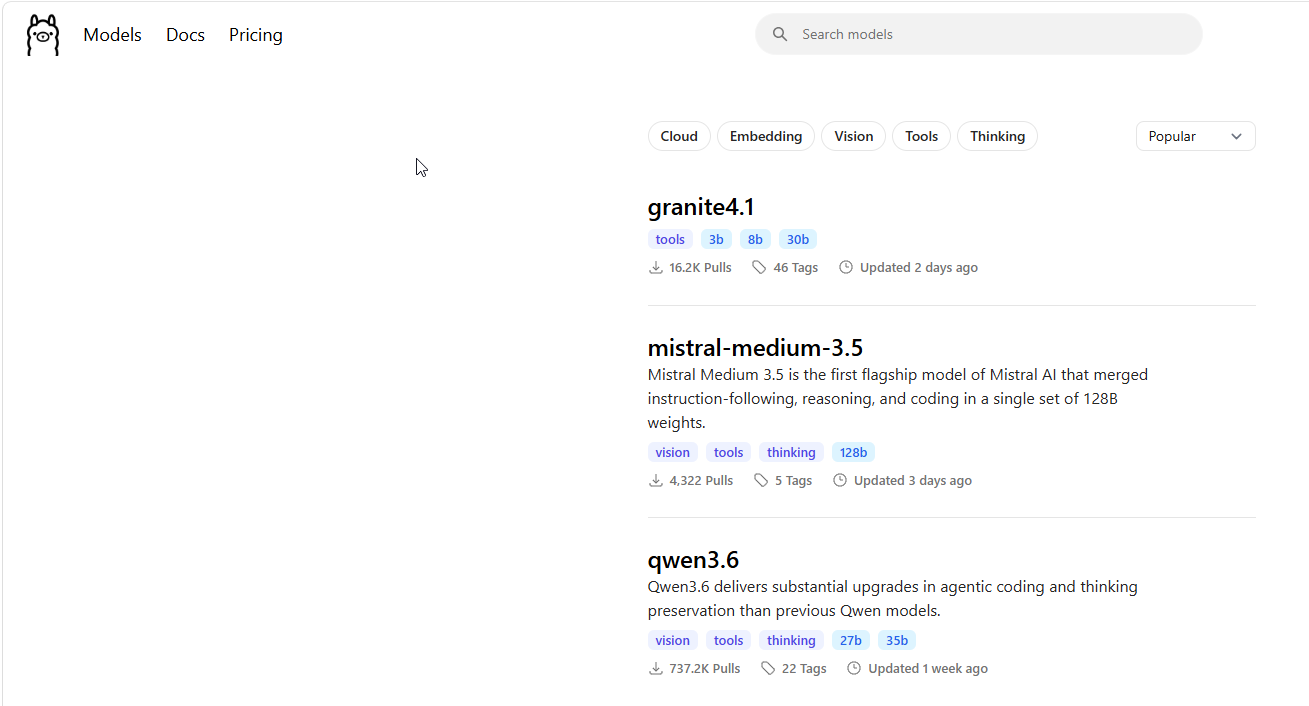
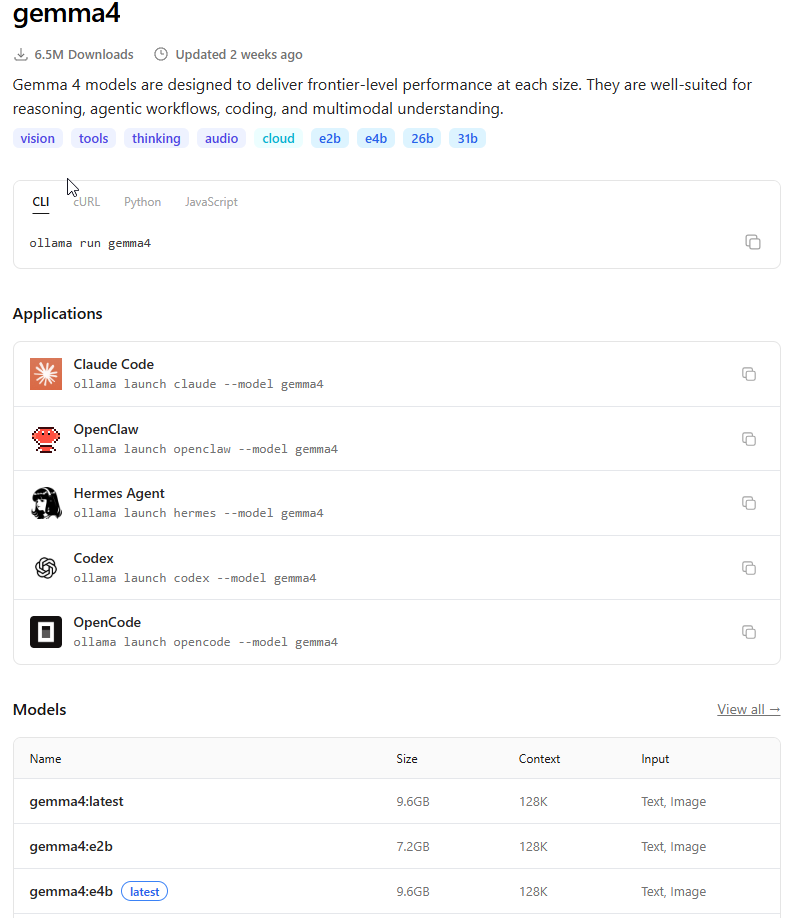
Then click on the model that you want to use, lets say, gemma4. This would be how the listing looks like..
Ollama with Github Copilot
One can execute..
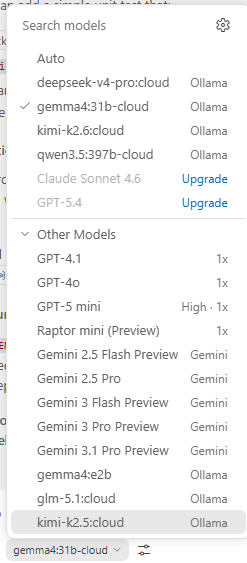
This will add Ollama models to the Github Copilot Chat Agent list and you can choose it to use it
Ollama with Claude Code
1. Install claude code terminal
2. Run with a model
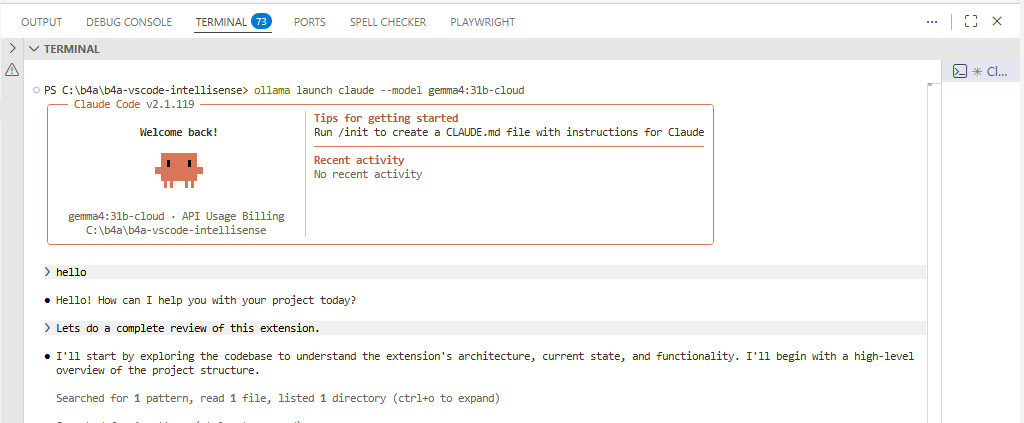
This should be what you see and you can continue coding..
ConnectionRefused: Configuring a model you want to use on Ollama Claude
I was getting some connection refused errors with claude code, so I updated the settings.json file..
Update your c:\Users\user\.claude\settings.json file
OllaMan - An Ollama Model Manager App.
OllaMan is a model manager that one can use to manage their Ollama Models. Yeah, you can add models via the command line, but I find this easier to use as it also provides other functionalities. The free app does not allow model downloads whereas you can use everything else.
This you can download here
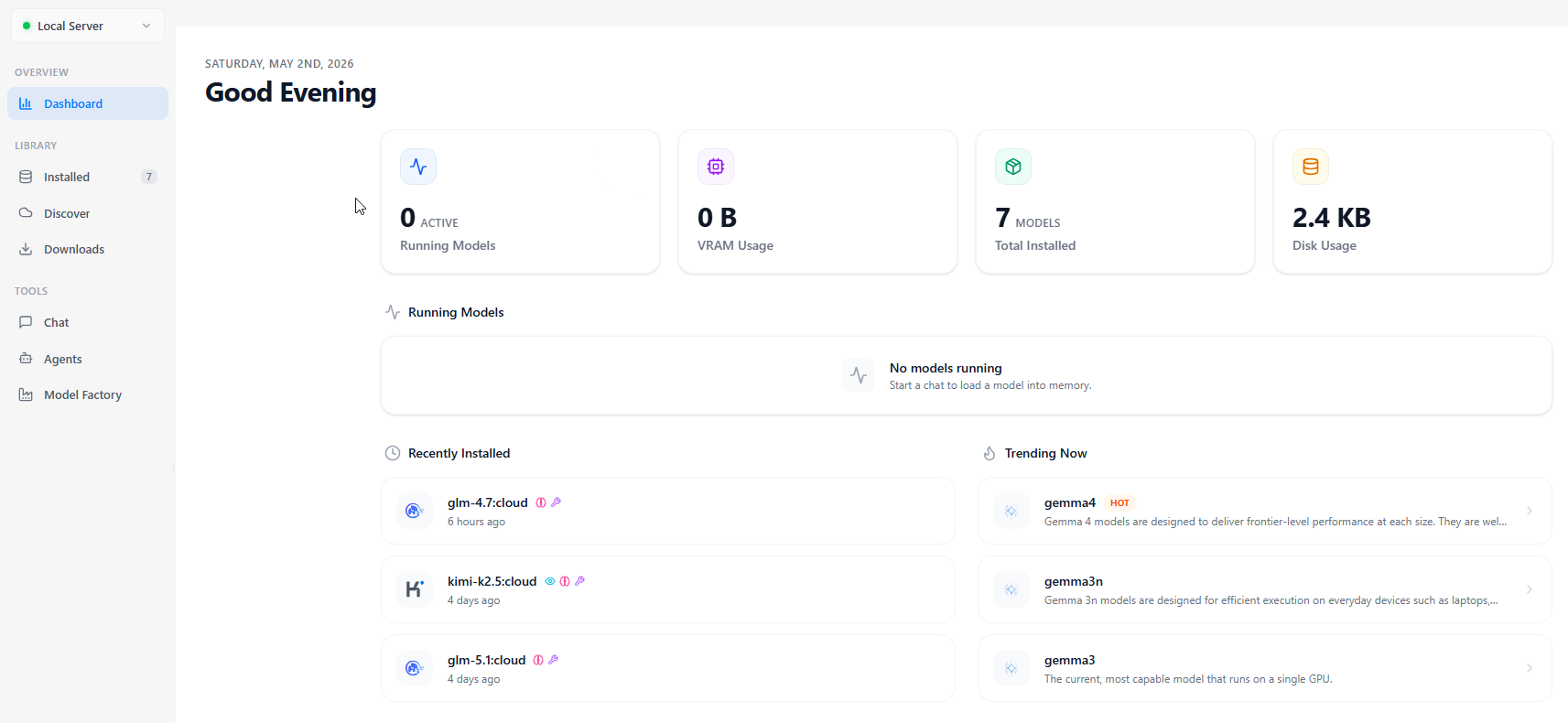
Running Models Locally
Sadly my laptop does not have enough power to do anything locally, so I opt for the cloud models. They work, I on the other hand use vs code, so the Coding Agent Apps, which are not intergrated to VSCode are not on my plate as yet. Have tried local models and experienced some level of goodness.
Is Ollama Pro worth it?
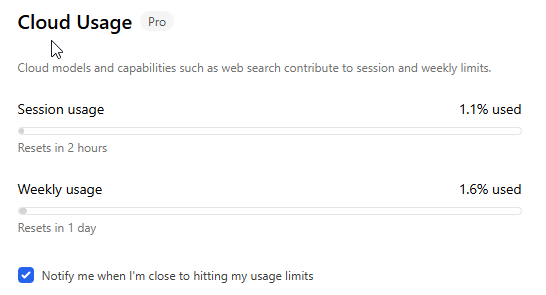
So far so good...
#SharingTheGoodness.
I'm exploring Ollama
Download and install Ollama
Head over to https://ollama.com/ and download the Ollama version you need, you can get this for Mac, Linux and Windows at the time of writing. After installation, your Ollama will be running.
Ollama has a lot of models that you can use out. In the Ollama website, click on Models. This provides you with a list.
Then click on the model that you want to use, lets say, gemma4. This would be how the listing looks like..
Ollama with Github Copilot
One can execute..
B4X:
ollama launch vscode --model gemma4:31b-cloudThis will add Ollama models to the Github Copilot Chat Agent list and you can choose it to use it
Ollama with Claude Code
1. Install claude code terminal
B4X:
irm https://claude.ai/install.ps1 | iex2. Run with a model
B4X:
ollama launch claude --model gemma4:31b-cloudThis should be what you see and you can continue coding..
ConnectionRefused: Configuring a model you want to use on Ollama Claude
I was getting some connection refused errors with claude code, so I updated the settings.json file..
Update your c:\Users\user\.claude\settings.json file
B4X:
{
  "env": {
    "ANTHROPIC_BASE_URL": "http://127.0.0.1:11434",
    "ANTHROPIC_AUTH_TOKEN": "ollama",
    "ANTHROPIC_MODEL": "gemma4:31b-cloud"
  },
  "theme": "light"
}
OllaMan - An Ollama Model Manager App.
OllaMan is a model manager that one can use to manage their Ollama Models. Yeah, you can add models via the command line, but I find this easier to use as it also provides other functionalities. The free app does not allow model downloads whereas you can use everything else.
This you can download here
Running Models Locally
Sadly my laptop does not have enough power to do anything locally, so I opt for the cloud models. They work, I on the other hand use vs code, so the Coding Agent Apps, which are not intergrated to VSCode are not on my plate as yet. Have tried local models and experienced some level of goodness.
Is Ollama Pro worth it?
So far so good...
#SharingTheGoodness.


