
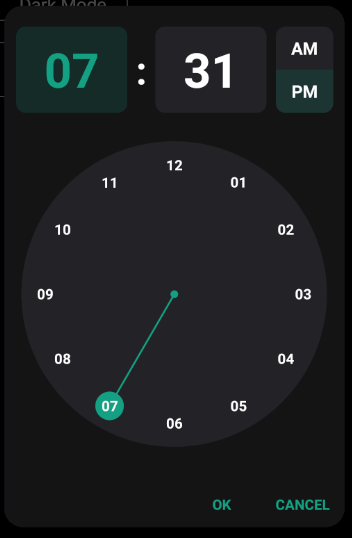
A dialog that prompts the user for the time of day using a TimePicker.
I spend a lot of time in creating views, like this and to create a high quality view cost a lot of time. If you want to support me and further views, then you can do it here by Paypal or with a coffee.


You need the AS_TimePicker V1.08+
AS_TimePickerDialog
Author: Alexander Stolte
Version: 1.00
Have Fun

You need the AS_TimePicker V1.08+
I spend a lot of time in creating views, like this and to create a high quality view cost a lot of time. If you want to support me and further views, then you can do it here by Paypal or with a coffee.
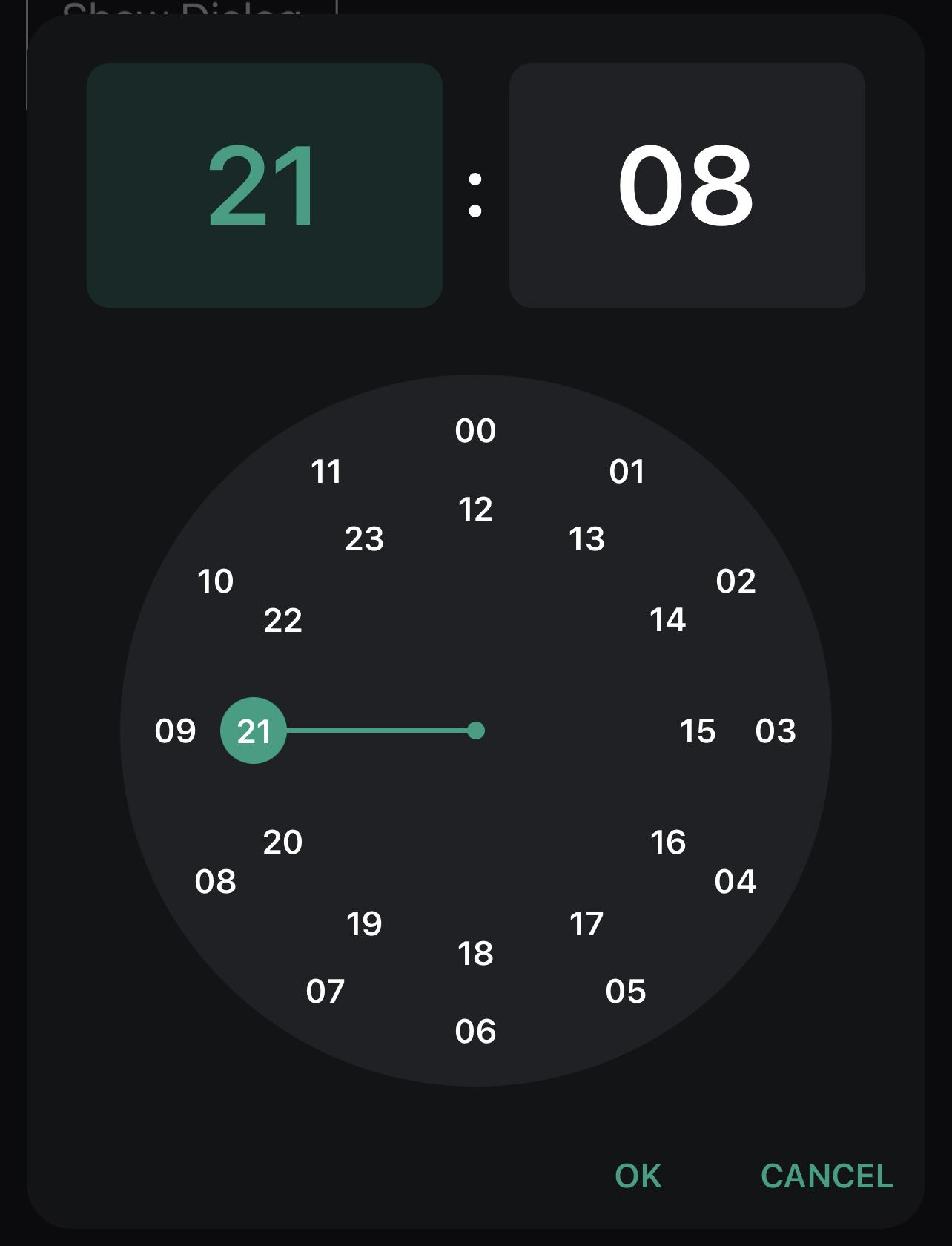
Dark Example:
Private Sub ShowDialogDarkMode

    TimePickerDialog.Initialize(Root)

    TimePickerDialog.Theming.BackgroundColor = xui.Color_ARGB(255,19, 20, 22)
    TimePickerDialog.Theming.ClockTextColor = xui.Color_White
    TimePickerDialog.Theming.DialogButtonTextColor = xui.Color_ARGB(255,20,160,130)
    TimePickerDialog.Theming.EditTextColor = xui.Color_White
    TimePickerDialog.Theming.EditTextFocusColor = xui.Color_ARGB(255,20,160,130)
    TimePickerDialog.Theming.ThumbColor = xui.Color_ARGB(255,20,160,130)
    TimePickerDialog.Theming.TimePickerBackgroundColor = xui.Color_ARGB(255,32, 33, 37)

    TimePickerDialog.KeyboardEnabled = True
    TimePickerDialog.TimeFormat = TimePickerDialog.TimeFormat_24h

    Wait For (TimePickerDialog.ShowDialog) Complete (PickerDialogResponse As AS_TimePickerDialog_DialogResponse)
    If PickerDialogResponse.Result = xui.DialogResponse_Positive Then
        #If Debug
        Log("Hour: " & PickerDialogResponse.Hour & " Minute: " & PickerDialogResponse.Minute)
        #Else
        xui.MsgboxAsync("Hour: " & PickerDialogResponse.Hour & " Minute: " & PickerDialogResponse.Minute,"")
        #End If
    End If

End Sub
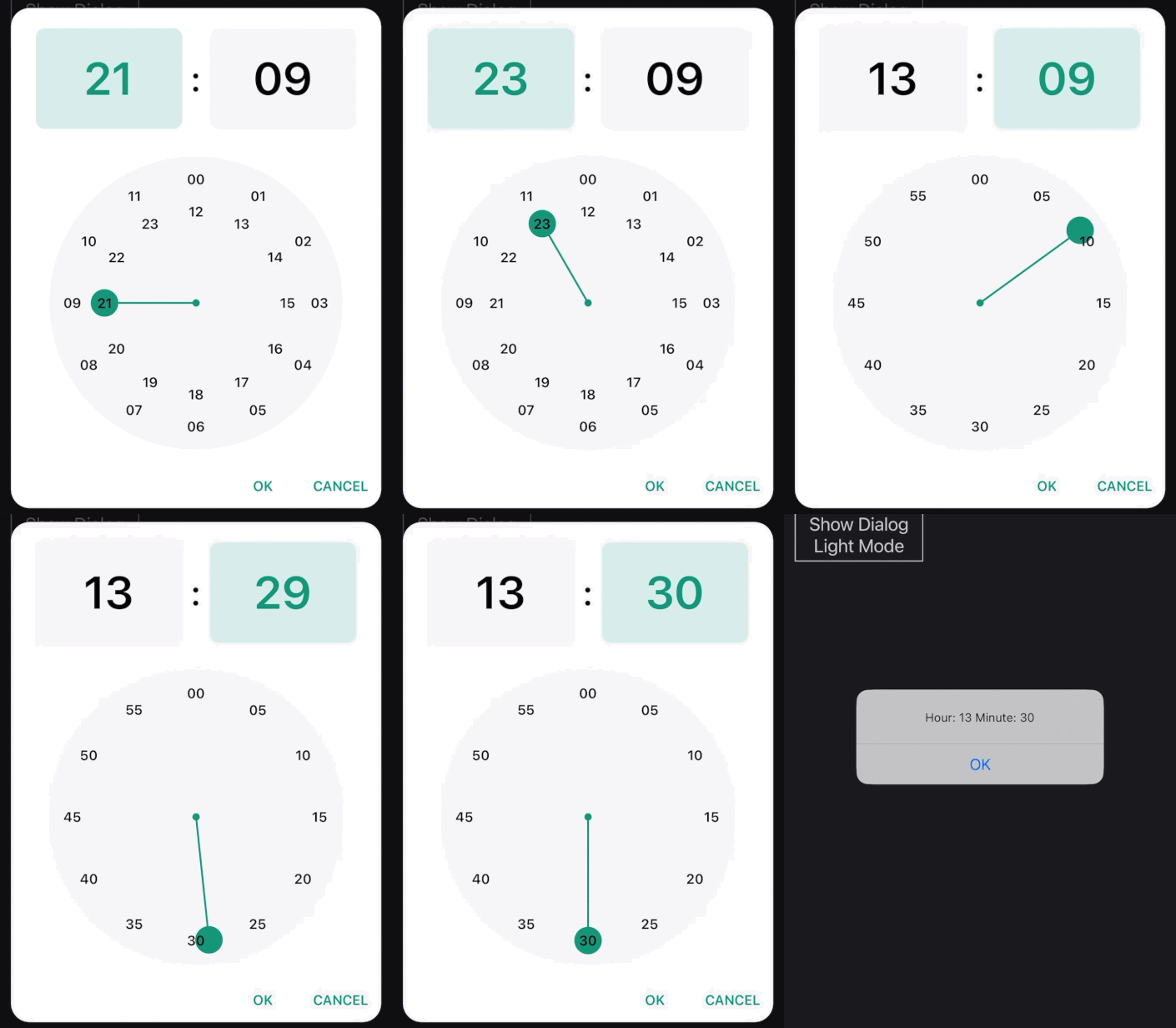
Light Example:
Private Sub ShowDialogLightMode

    TimePickerDialog.Initialize(Root)

    TimePickerDialog.Theming.BackgroundColor = xui.Color_White
    TimePickerDialog.Theming.ClockTextColor = xui.Color_Black
    TimePickerDialog.Theming.DialogButtonTextColor = xui.Color_ARGB(255,20,160,130)
    TimePickerDialog.Theming.EditTextColor = xui.Color_Black
    TimePickerDialog.Theming.EditTextFocusColor = xui.Color_ARGB(255,20,160,130)
    TimePickerDialog.Theming.ThumbColor = xui.Color_ARGB(255,20,160,130)
    TimePickerDialog.Theming.TimePickerBackgroundColor = xui.Color_ARGB(255,245,246,247)

    Wait For (TimePickerDialog.ShowDialog) Complete (PickerDialogResponse As AS_TimePickerDialog_DialogResponse)
    If PickerDialogResponse.Result = xui.DialogResponse_Positive Then
        #If Debug
        Log("Hour: " & PickerDialogResponse.Hour & " Minute: " & PickerDialogResponse.Minute)
        #Else
        xui.MsgboxAsync("Hour: " & PickerDialogResponse.Hour & " Minute: " & PickerDialogResponse.Minute,"")
        #End If
    End If

End Sub
You need the AS_TimePicker V1.08+
AS_TimePickerDialog
Author: Alexander Stolte
Version: 1.00
- AS_TimePickerDialog
- Functions:
- Class_Globals As String
- getHour As Int
- getKeyboardEnabled As Boolean
- getMinute As Int
- getMinuteSteps As Int
- getTimeFormat As String
- getTimeFormat_12h As String
- getTimeFormat_24h As String
- Initialize (Parent As B4XView) As String
Initializes the object. You can add parameters to this method if needed. - IsInitialized As Boolean
Tests whether the object has been initialized. - setHour (Hour As Int) As String
- setKeyboardEnabled (Enabled As Boolean) As String
- setMinute (Minute As Int) As String
- setMinuteSteps (Steps As Int) As String
Indicates in how many steps the selector can be moved
Default: 1 - setTimeFormat (Format As String) As String
24h|12h
Default: 24h - ShowDialog As ResumableSub
<code> Wait For (TimePickerDialog.ShowDialog) Complete (PickerDialogResponse As AS_TimePickerDialog_DialogResponse)
If PickerDialogResponse.Result = xui.DialogResponse_Positive Then
End If</code> - Theming As AS_TimePickerDialog_Theming
- Properties:
- Hour As Int
- KeyboardEnabled As Boolean
- Minute As Int
- MinuteSteps As Int
Indicates in how many steps the selector can be moved
Default: 1 - TimeFormat As String
24h|12h
Default: 24h - TimeFormat_12h As String [read only]
- TimeFormat_24h As String [read only]
- Functions:
- AS_TimePickerDialog_DialogResponse
- Fields:
- Hour As Int
- IsInitialized As Boolean
Tests whether the object has been initialized. - Minute As Int
- Result As Int
- Functions:
- Initialize
Initializes the fields to their default value.
- Initialize
- Fields:
- AS_TimePickerDialog_Theming
- Fields:
- BackgroundColor As Int
- ClockTextColor As Int
- DialogButtonTextColor As Int
- EditTextColor As Int
- EditTextFocusColor As Int
- IsInitialized As Boolean
Tests whether the object has been initialized. - ThumbColor As Int
- TimePickerBackgroundColor As Int
- Functions:
- Initialize
Initializes the fields to their default value.
- Initialize
- Fields:
- 1.00
- Release
- 1.01
- Add get and set DialogYesText
- Default: OK
- Add get and set DialogNoText
- Default: CANCEL
- Add get and set DialogCancelText
- Add get and set DialogYesText
- 1.02 (read more)
- BugFixes
- Add SetDarkMode - Sets the dialog to DarkMode
- Add SetLightMode - Sets the dialog to LightMode
- 1.03
- Add Close - Closes the Dialog
- 1.04
- BugFix on TimeFormat_12h and PM times
- B4J - Buttons should now work
- 1.05
- Keyboard Type on the TextFields are now numbers
- 1.06 (read more)
- Add set Date - You can now set the initial time with ticks
- BugFix on TimeFormat_12h
- Add isPm to AS_TimePickerDialog_DialogResponse
- Add Date to AS_TimePickerDialog_DialogResponse
- If you are using the TimeFormat 12h then the DialogResponse.Hour returns now 0-12 and you need to check with .isPm if it is am or pm
- 1.07
- New get Dialog - gets the B4XDialog
Have Fun
You need the AS_TimePicker V1.08+
Attachments
Last edited:


