
Hi Fam
The latest version of the Visual Studio Code B4X IDE Companion has functionality for one to see their Project Statistics. You can find this is Visual Studio Code.

Step 1
Open B4X Project (the b4a, b4j, b4i, b4r project is loaded. The workspace should show your project folders.
Step 2
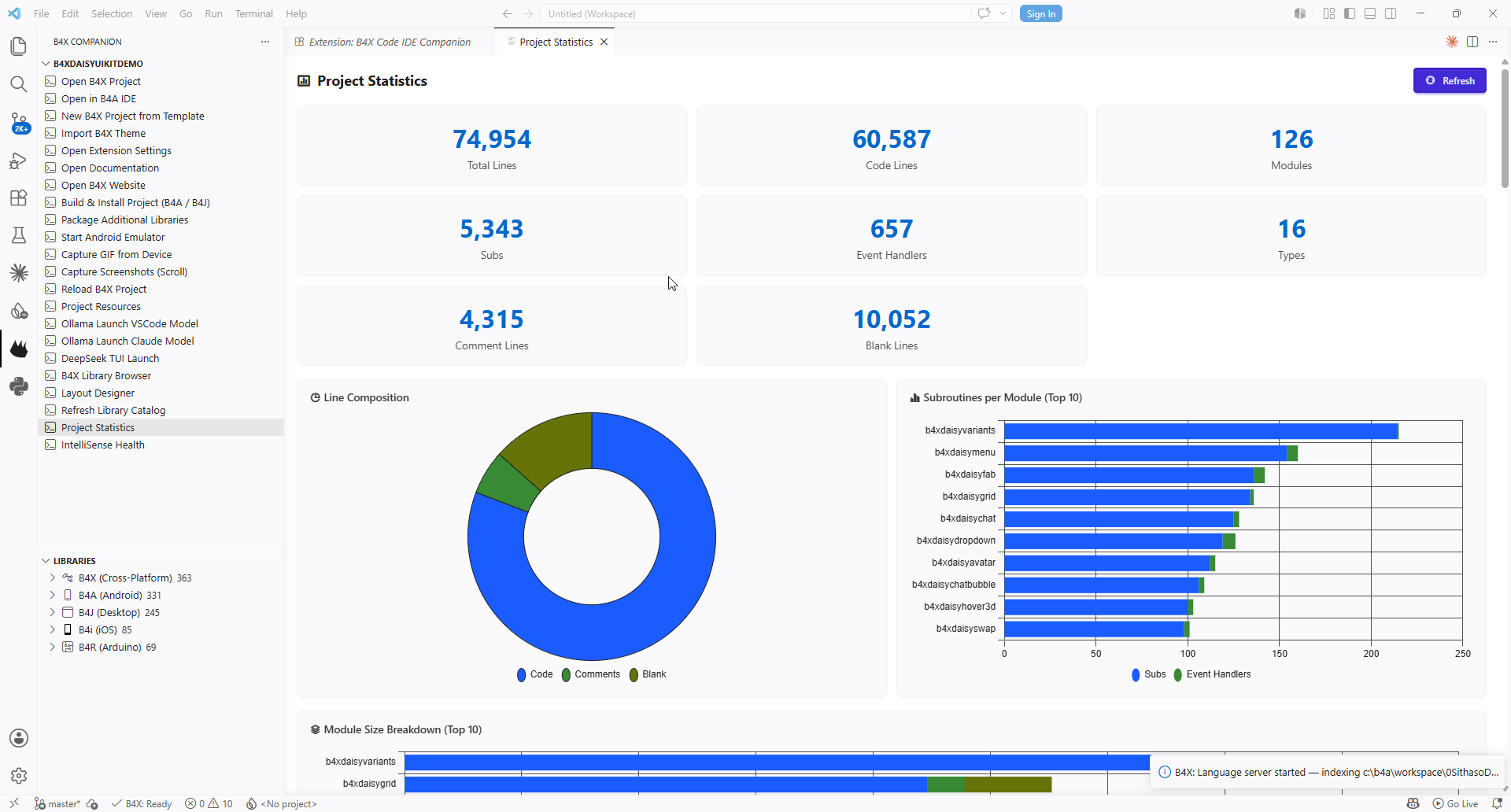
Tap Project Statistics (this shows you some stats about your project, total lines, code lines, subs, comments, blank lines) and also some charts (top 10)
Part of the statistics are broken down in table format like below.
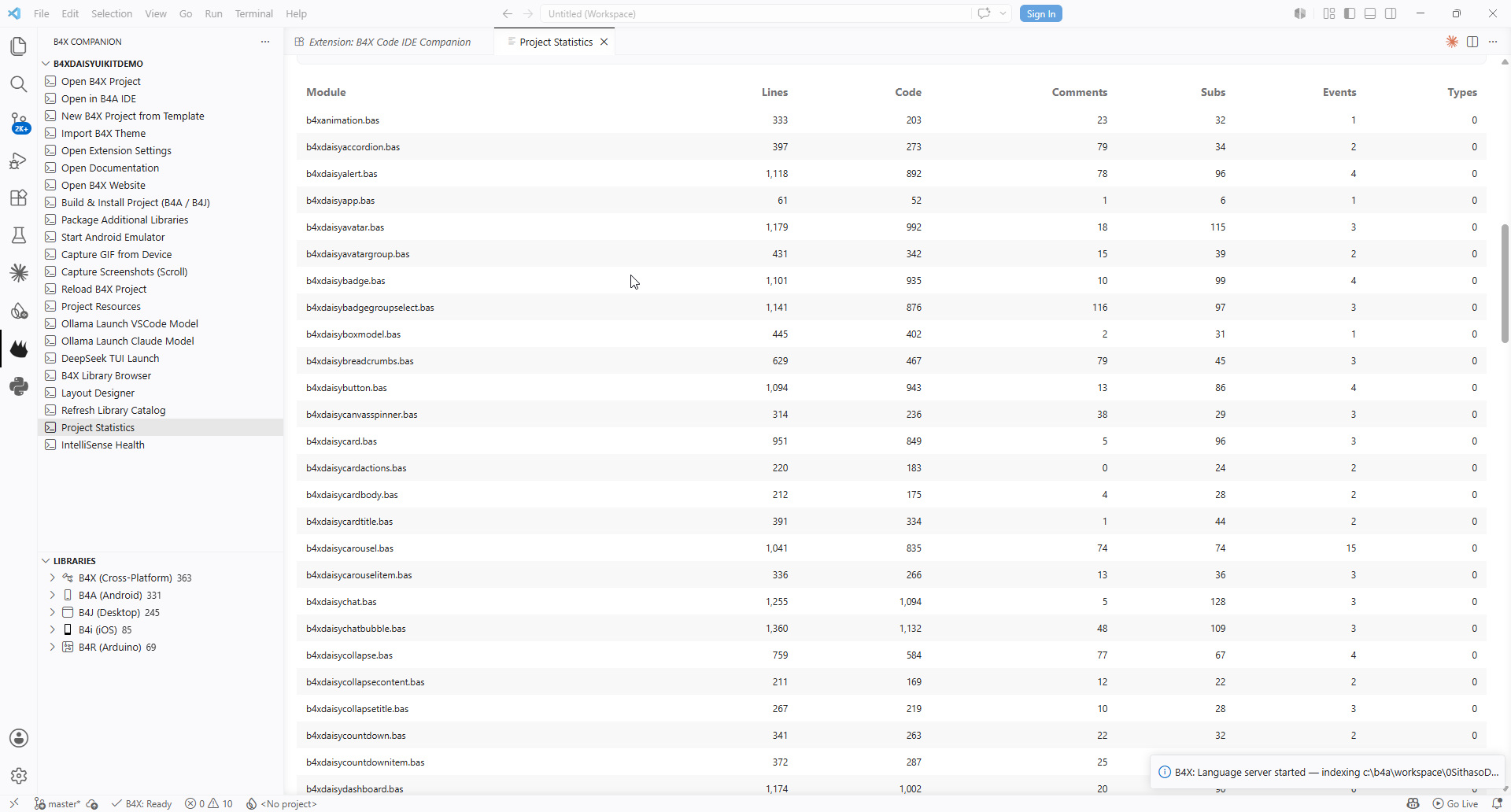
The stats shown here are for the B4X Daisy UIKit, and its demo examples, an Android UI kit I have been working on based on DaisyUI. Our latest version for web based applications using BANano is SithasoDaisy5.
#SharingTheGoodness
The latest version of the Visual Studio Code B4X IDE Companion has functionality for one to see their Project Statistics. You can find this is Visual Studio Code.
Step 1
Open B4X Project (the b4a, b4j, b4i, b4r project is loaded. The workspace should show your project folders.
Step 2
Tap Project Statistics (this shows you some stats about your project, total lines, code lines, subs, comments, blank lines) and also some charts (top 10)
Part of the statistics are broken down in table format like below.
The stats shown here are for the B4X Daisy UIKit, and its demo examples, an Android UI kit I have been working on based on DaisyUI. Our latest version for web based applications using BANano is SithasoDaisy5.
#SharingTheGoodness
