Android Question EditText with lines

D

Deleted member 103

Guest
Hi guys,

have a problem with the EditText.

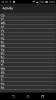
I just get the drawn lines, with various mobile phone resolution, not right under the letters.
In the emulator, it looks good, the mobile phone (HTC-one-A9) but not.

Does someone have a solution?

Emulator.JPG
htc-one-A9.png
 

Attachments

  • textEditLine.zip
    7.8 KB · Views: 321
D

Deleted member 103

Guest
And so it looks at HTC-one-s.
If I reckon that it is right on the HTC-one-s, then it does not fit the HTC-one-A9. :(
htc-one-s.png
 
Upvote 0

Erel

B4X founder
Staff member
Licensed User
Longtime User
Try this code:
B4X:
Sub Process_Globals
   'These global variables will be declared once when the application starts.
   'These variables can be accessed from all modules.
   Private su As StringUtils

End Sub

Sub Globals
   'These global variables will be redeclared each time the activity is created.
   'These variables can only be accessed from this module.

   Private cv As Canvas
   Private EditText1 As EditText
   Private lineHeight,textHeight As Float
   Private padY As Int
End Sub

Sub Activity_Create(FirstTime As Boolean)
   'Do not forget to load the layout file created with the visual designer. For example:
   Activity.LoadLayout("1")
   cv.Initialize(EditText1)
   EditText1.Text = $"___
____"$
   CallSubDelayed(Me, "CalcLineHeight")
   CreateLine
End Sub

Sub CalcLineHeight
   Dim b As Bitmap = TakeScreenshot
   Dim firstLine, secondLine  = 1 As Int
   For y = 0 To 100dip
     Dim c As Int = b.GetPixel(8dip, y)
     If c <> 0 And firstLine = 0 Then
       firstLine = y
     Else if c = 0 And firstLine <> 0 Then
       secondLine = 0
     Else if secondLine = 0 And c <> 0 Then
       secondLine = y
       Exit       
     End If
   Next
   lineHeight = secondLine - firstLine
   padY = firstLine - lineHeight
   Log(lineHeight)
   CreateLine
End Sub

Sub TakeScreenshot As Bitmap
  Dim Obj1, Obj2 As Reflector
  Dim bmp As Bitmap
  Dim c As Canvas
  Obj1.Target = EditText1
  bmp.InitializeMutable(EditText1.Width, EditText1.Height)
  c.Initialize2(bmp)
  Dim args(1) As Object
  Dim types(1) As String
  Obj2.Target = c
  Obj2.Target = Obj2.GetField("canvas")
  args(0) = Obj2.Target
  types(0) = "android.graphics.Canvas"
  Obj1.RunMethod4("draw", args, types)
  Return bmp
End Sub

Sub Activity_Resume
End Sub

Sub Activity_Pause (UserClosed As Boolean)
End Sub

Private Sub CreateLine
   Dim i As Float
   For i = padY To EditText1.Height Step lineHeight
     cv.DrawLine(5dip, lineHeight + i, EditText1.Width - 5dip, lineHeight + i, Colors.Gray, 1dip)
   Next
End Sub

 
Upvote 0
D

Deleted member 103

Guest
Hi Erel,

Thanks to your code I came up with the idea as it should. :)
With the code now works very well.
B4X:
Sub Process_Globals
    'These global variables will be declared once when the application starts.
    'These variables can be accessed from all modules.
 
    Private su As StringUtils
End Sub

Sub Globals
   'These global variables will be redeclared each time the activity is created.
   'These variables can only be accessed from this module.

   Private cv As Canvas
   Private EditText1 As EditText
   Private lineHeight As Float
   Private padY As Int
End Sub

Sub Activity_Create(FirstTime As Boolean)
   'Do not forget to load the layout file created with the visual designer. For example:
    Activity.LoadLayout("1")
    cv.Initialize(EditText1)

    CalcLineHeight

       Dim str As String
    For i = 1 To 20
        str = str & Chr(Rnd(65, 90)) & Chr(Rnd(97, 122)) & CRLF
    Next

    EditText1.Text = str
End Sub

Private Sub CalcLineHeight
    Dim firstLine, secondLine As Int
    firstLine = su.MeasureMultilineTextHeight(EditText1, "Zy")
    secondLine = su.MeasureMultilineTextHeight(EditText1, "Zy" & CRLF & "Zy")
    lineHeight = secondLine - firstLine
    padY = (firstLine - lineHeight) + 1dip
    Log(lineHeight)
    CreateLine
End Sub

Sub Activity_Resume
End Sub

Sub Activity_Pause (UserClosed As Boolean)
End Sub

Private Sub CreateLine
    Dim i As Float
    cv.Initialize(EditText1)
    cv.DrawColor(Colors.Transparent)
    For i = padY To EditText1.Height Step lineHeight
        cv.DrawLine(5dip, lineHeight + i, EditText1.Width - 5dip, lineHeight + i, Colors.LightGray, 1dip)
    Next
End Sub
 

Attachments

  • htc-one-s.png
    htc-one-s.png
    16.5 KB · Views: 376
  • htc-one-A9.png
    htc-one-A9.png
    16.6 KB · Views: 380
Upvote 0

incendio

Well-Known Member
Licensed User
Longtime User
I think, using a style in manifest file could be a little more simpler. I use this trick to remove edittext place holder.

Btw, how do you remove edittext place holder?
 
Upvote 0
Top