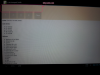
Android Question EditTexts not visible on tablet?

tsteward

Well-Known Member
Licensed User
Longtime User
Attached are two pics one of my phone Galaxy S2 running Android 4.1.2
The other is my Tablet also running 4.1.2

When viewed on the tablet you cant see where the textedits are. Changing the panel colour doesn't help.

How can I fix this?
 

Attachments

  • Phone (Medium).png
    Phone (Medium).png
    385.3 KB · Views: 288
  • Tablet (Medium).png
    Tablet (Medium).png
    391 KB · Views: 307

tsteward

Well-Known Member
Licensed User
Longtime User
It might be the theme, can you attach a sample code? (from the IDE, click in FILE -> Export as ZIP)
Here is a bare bones app.
Same deal on my Asus tablet I have o go searching for the edittexts.
Is it just my tablet maybe?
 

Attachments

  • TEdit.zip
    7 KB · Views: 202
Upvote 0

NJDude

Expert
Licensed User
Longtime User
There's nothing wrong, you get a "blank" screen because of the SDK level and the color you have, on SDK 14 the EditBoxes are transparent and have a faint line at the bottom, you will see the "holo" line if you tap on it, if you change in the example you posted the panel color to say BLUE you will see them.

If you want to use the "old style" then change this line in your manifest:

From:
B4X:
android:targetSdkVersion="14"
To:
B4X:
android:targetSdkVersion="4"
 
Upvote 0

tsteward

Well-Known Member
Licensed User
Longtime User
There's nothing wrong, you get a "blank" screen because of the SDK level and the color you have, on SDK 14 the EditBoxes are transparent and have a faint line at the bottom, you will see the "holo" line if you tap on it, if you change in the example you posted the panel color to say BLUE you will see them.
Changed panel colour to Aqua and still not visible.
 

Attachments

  • Screenshot_2013-09-30-07-31-55.png
    Screenshot_2013-09-30-07-31-55.png
    316.9 KB · Views: 241
Upvote 0

NJDude

Expert
Licensed User
Longtime User
Changed panel colour to Aqua and still not visible.
And you won't see them because is a light color, if you change the color of the panel to BLACK, then you will see them, or, like I said above, change the target SDK in your manifest.
 
Last edited:
Upvote 0

tsteward

Well-Known Member
Licensed User
Longtime User
ok I have no idea what or how taget SDK is.
Gotta go to work now will look tonight. Thanks for putting up with my nubie type questions.
 
Upvote 0
Top