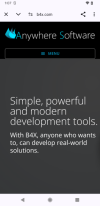
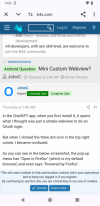
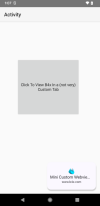
In the ChatGPT app, when you first install it, it opens what I thought was just a simple webview to do an OAuth login.
But when I clicked the three dot icon in the top right corner, I became confused.
As you can see in the below screenshot, the pop-up menu has "Open in Firefox" (which is my default browser) and even says "Powered by Firefox".
Whats confusing is that this is obviously not a simple webview. But it's also not my regular firefox browser app running because there is no URL input box and the pop-up menu is not the full pop-up menu I see when I run the full firefox browser app.
So is there some method I don't know about that allows an android app to invoke a mini version of the default browser installed on the user's device (because I believe it will do the same mini-version thing even if chrome is the default browser)?

But when I clicked the three dot icon in the top right corner, I became confused.
As you can see in the below screenshot, the pop-up menu has "Open in Firefox" (which is my default browser) and even says "Powered by Firefox".
Whats confusing is that this is obviously not a simple webview. But it's also not my regular firefox browser app running because there is no URL input box and the pop-up menu is not the full pop-up menu I see when I run the full firefox browser app.
So is there some method I don't know about that allows an android app to invoke a mini version of the default browser installed on the user's device (because I believe it will do the same mini-version thing even if chrome is the default browser)?
Last edited: