Hi
I am using the Table class to display SQL lite DB parameters in a Scrollable View.
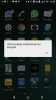
However,when I call the Table display from the Menu Item,the App stops, giving a message "Unfortunately, APP has stopped".
However, if Iload the same function from layout windows by clicking on a Button, the table is correctly displayed.
Activity.AddMenuItem("Show Table", "ShowTable")
Activity.AddMenuItem("About", "About")
Activity.Title="Cable Sizing File"
....... Other code
Sub ShowTable_Click
DisplayTable
End Sub
Sub ResetButton_Click
DisplayTable
End Sub
The ShowTable_Click gives error
whereas ResetButton_Click works.
Kindly advise.
I am using the Table class to display SQL lite DB parameters in a Scrollable View.
However,when I call the Table display from the Menu Item,the App stops, giving a message "Unfortunately, APP has stopped".
However, if Iload the same function from layout windows by clicking on a Button, the table is correctly displayed.
Activity.AddMenuItem("Show Table", "ShowTable")
Activity.AddMenuItem("About", "About")
Activity.Title="Cable Sizing File"
....... Other code
Sub ShowTable_Click
DisplayTable
End Sub
Sub ResetButton_Click
DisplayTable
End Sub
The ShowTable_Click gives error
whereas ResetButton_Click works.
Kindly advise.