iOS Question Failed to find xcode path (redux)

Neil Rohan

Member
Licensed User
Longtime User
I've reviewed the b4i forum for threads posted with this problem, but solutions proposed have not worked. I am new to b4i (migrating from b4a). I've been able to install b4i on Windows machine and succeeded in using the hosted builder w/ the bridge app. Everything works properly.

I am now trying to load buildserver on MacBook Pro, running MacOS Catalina (10.15.4) and xCode 11.4.1

Following Erel's instructions "Local Mac Builder" (11/3/2014), I've done the following:

1. Installed Java JDK 8
2. Installed Xcode 11

2.5. You need to run Xcode at least once. Approve installation of additional components when asked. I have "run" xcode and created a test project. It functions properly in the xcode simulator. However, I was not asked to approve additional components

3. Downloaded and unzipped the B4i-Builder.
4. Opened a terminal and navigate to B4i-Builder folder.
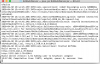
5. Ran it with: java -jar B4iBuildServer.jar (see screenshot)

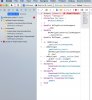
I then ran the xcode-select -p command from the terminal and received a second error message (see screenshot)

Any suggestions?

ss1.png


ss2.png
 

Neil Rohan

Member
Licensed User
Longtime User
Thanks Erel, that solved that issue. I ran B4iBuildServer.jar and compiled program, only to receive following error:

In file included from /Users/neilrohan1/UploadedProjects/<user id>/B4iProject/b4i_main.m:2:
/Users/neilrohan1/UploadedProjects/<user id>/B4iProject/b4i_main.h:1:9: fatal error: 'iCore.h' file not found
#import "iCore.h"
^~~~~~~~~
1 error generated.
Error: ** BUILD FAILED **
The following build commands failed:
CompileC /Users/neilrohan1/UploadedProjects/<user id>/build/B4iProject.build/Release-iphoneos/B4iProject.build/Objects-normal/arm64/b4i_main.o /Users/neilrohan1/UploadedProjects/<user id>/B4iProject/b4i_main.m normal arm64 objective-c com.apple.compilers.llvm.clang.1_0.compiler
(1 failure)


I searched the forum for this issue and found an identical forum issue (Nov 11 2018). You recommended changing to the b4ibuilderserver folder and start server from there. I did that and that eliminated the error.

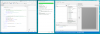
I recompiled the program and sent it to B4iBuildServer. I'm getting the same message, but this time from the xcode compiler (see screenshot).

Note that all I am doing is unzipping the newly downloaded project, unzipping it and running the resultant "B4iProject.xcodeproject" file. I am not altering any existing/previous libraries.

Any suggestions would be appreciated.
 

Attachments

  • Image 4-29-20 at 7.42 AM.jpg
    Image 4-29-20 at 7.42 AM.jpg
    134.2 KB · Views: 479
Upvote 0

Neil Rohan

Member
Licensed User
Longtime User
Using the Hello World example, the project runs successfully using the Hosted Builder (see screenshots):
 

Attachments

  • IMG_1304.PNG
    IMG_1304.PNG
    291.8 KB · Views: 422
  • IMG_1305.PNG
    IMG_1305.PNG
    69.5 KB · Views: 455
  • windows_b4ibridge.png
    windows_b4ibridge.png
    210.8 KB · Views: 453
Upvote 0

Neil Rohan

Member
Licensed User
Longtime User
Attachments: 1) Server Settings 2) Log After Run from IDE 3) B4iBuilder display after Run 4) xCode screenshot with iCore.h error

I'm beginning to think the problems are with how i unzipped xcode download as well as B4iBuilder, since it appears there are major directory issues on my MacBookPro. Would you recommend reinstalling??
 

Attachments

  • Attch_3_b4ibuilderAfterRunfromIDe.png
    Attch_3_b4ibuilderAfterRunfromIDe.png
    180 KB · Views: 479
  • Attch_4_xcodeResult.png
    Attch_4_xcodeResult.png
    358.4 KB · Views: 456
Upvote 0

Neil Rohan

Member
Licensed User
Longtime User
Works perfectly Erel. Once it sunk in that I needn't do ANYTHING with my MacBook Pro laptop except open the B4iBuildServer and let it communicate with my iPad, I went back and looked at your tutorial (21Oct2014) and voila! Thanks again! SOLVED!
 
Upvote 0
Top