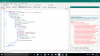
i received dataset in map from web application , i struggling to fetch the value of record set from map to autocomplete edit text, can anyone show me the syntax for it, thank u in advance,
Dim valuesdata as list
Valuesdata.initialize
For each value as string in dataset.values
Valuesdata.add(value)
Next
YourAutocompleteEditText.SetItem( Valuesdata )
' untested see if works
I tried that method but it show the error like "java.lang.ClassCastException: java.util.ArrayList". I attach my B4A code here:
B4X:
Sub JobDone (job3 As HttpJob)
Log("JobName = " & job3.JobName & ", Success = " & job3.Success)
ProgressDialogHide
' Job.GetRequest.Timeout = 60000
If job3.Success Then
Select job3.JobName
Case "Billing"
' Log(job1.GetString)
Dim parser As JSONParser
Dim response As String = job3.GetString
parser.Initialize(response)
Dim rows As List
rows = parser.NextArray
For i = 0 To rows.Size - 1
Log("Rows #" & i)
Dim m As Map
m = rows.Get(i)
Log("Itemcode=" & m.Get("ItemCode"))
Log("Itemname=" & m.Get("ItemName"))
Dim valuesdata As List
valuesdata.initialize
For Each value As String In m.values
valuesdata.add(value)
Next
ACEdtCode.SetItems(valuesdata)
Next
End Select
End If
job3.Release
End Sub
** Activity (billing) Resume **
JobName = Billing, Success = true
Rows #0
Error occurred on line: 226 (Billing)
java.lang.ClassCastException: java.util.ArrayList
at anywheresoftware.b4a.objects.collections.Map.Get(Map.java:63)
at java.lang.reflect.Method.invokeNative(Native Method)
at java.lang.reflect.Method.invoke(Method.java:507)
at anywheresoftware.b4a.shell.Shell.runMethod(Shell.java:710)
at anywheresoftware.b4a.shell.Shell.raiseEventImpl(Shell.java:339)
at anywheresoftware.b4a.shell.Shell.raiseEvent(Shell.java:249)
at java.lang.reflect.Method.invokeNative(Native Method)
at java.lang.reflect.Method.invoke(Method.java:507)
at anywheresoftware.b4a.ShellBA.raiseEvent2(ShellBA.java:139)
at anywheresoftware.b4a.BA$2.run(BA.java:360)
at android.os.Handler.handleCallback(Handler.java:587)
at android.os.Handler.dispatchMessage(Handler.java:92)
at android.os.Looper.loop(Looper.java:123)
at android.app.ActivityThread.main(ActivityThread.java:3647)
at java.lang.reflect.Method.invokeNative(Native Method)
at java.lang.reflect.Method.invoke(Method.java:507)
at com.android.internal.os.ZygoteInit$MethodAndArgsCaller.run(ZygoteInit.java:839)
at com.android.internal.os.ZygoteInit.main(ZygoteInit.java:597)
Problem was nothing actually i put the wrong variable name instead of m.get("ItemCode") . I add the line log(valuesdata) and check the response, it shows null value. After that i put the breakpoint at that line and check the variable name. Sorry it's my mistake.
I have an another problem that is when i add the dataset records on autocomplete edittext, it shows only one value. How to force autocomplete edittext to show full records on its drop down list. I tried this code:
B4X:
Dim parser As JSONParser
Dim response As String = job3.GetString
parser.Initialize(response)
Log(response)
Dim rows As List
rows = parser.NextArray
For i = 0 To rows.Size - 1
Dim m As Map
m = rows.Get(i)
valuesdata.Initialize
valuesdata2.Initialize
valuesdata.Add(m.Get("ItemName"))
valuesdata2.Add(m.Get("Itemcode"))
Log(valuesdata)
Log(valuesdata2)
Next
ACEdtCode.SetItems(valuesdata2)
ACEdtItem.SetItems(valuesdata)
please somebody tell me where i am doing mistake on the above coding.
Dim response As String = job3.GetString
parser.Initialize(response)
Log(response)
valuesdata.Initialize '<- initialize this list just once
valuesdata2.Initialize '<- same as this
Dim rows As List
rows = parser.NextArray
For i = 0 To rows.Size - 1
Dim m As Map
m = rows.Get(i)
' valuesdata.Initialize '<- this should not be here
' valuesdata2.Initialize '<- this neither
valuesdata.Add(m.Get("ItemName"))
valuesdata2.Add(m.Get("Itemcode"))
Log(valuesdata)
Log(valuesdata2)
Next
ACEdtCode.SetItems(valuesdata2)
ACEdtItem.SetItems(valuesdata)
This site uses cookies to help personalise content, tailor your experience and to keep you logged in if you register.
By continuing to use this site, you are consenting to our use of cookies.