B4J Question How to fixed control postion

chjk

Member
Licensed User
Longtime User
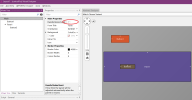
After changing the button position through code, I found that when the window size changes, the button position will return to its initial position. How can I fix its current position?
 

Attachments

  • controlPos.zip
    16.2 KB · Views: 26

aeric

Expert
Licensed User
Longtime User
I will assign the Left value to a variable.

B4X:
Sub Process_Globals
    Private fx As JFX
    Private MainForm As Form
    Private xui As XUI
    Private Button1 As B4XView
    Private Button2 As Button
    Private Pane1 As Pane
    Private Button2Left As Double
End Sub

Sub AppStart (Form1 As Form, Args() As String)
    MainForm = Form1
    MainForm.RootPane.LoadLayout("Layout1")
    MainForm.Show
    Button2Left = Button2.Left
End Sub

Sub Button1_Click
    Button2.Left = Rnd(5, MainForm.Width - Button2.Width - 15)
'    xui.MsgboxAsync("Hello World!", "B4X")
    Button2Left = Button2.Left
    Log(Button2Left)
End Sub

Sub Pane1_Resize (Width As Double, Height As Double)
    Button2.Left = Button2Left
End Sub

 
Upvote 0

chjk

Member
Licensed User
Longtime User
I will assign the Left value to a variable.

B4X:
Sub Process_Globals
    Private fx As JFX
    Private MainForm As Form
    Private xui As XUI
    Private Button1 As B4XView
    Private Button2 As Button
    Private Pane1 As Pane
    Private Button2Left As Double
End Sub

Sub AppStart (Form1 As Form, Args() As String)
    MainForm = Form1
    MainForm.RootPane.LoadLayout("Layout1")
    MainForm.Show
    Button2Left = Button2.Left
End Sub

Sub Button1_Click
    Button2.Left = Rnd(5, MainForm.Width - Button2.Width - 15)
'    xui.MsgboxAsync("Hello World!", "B4X")
    Button2Left = Button2.Left
    Log(Button2Left)
End Sub

Sub Pane1_Resize (Width As Double, Height As Double)
    Button2.Left = Button2Left
End Sub
Thank you, I have done this before, but there may be flickering issues, and if there are many controls, the problem is very serious!
 
Upvote 0

aeric

Expert
Licensed User
Longtime User
Upvote 0

chjk

Member
Licensed User
Longtime User
I am not sure I can suggest another solution.

Maybe you can get an idea by loading a layout to a B4XView and add to a parent B4XView.

A dashboard example by Erel
https://www.b4x.com/android/forum/t...ment-desktop-dashboard-ui.128633/#post-806964

or you can also try my template:
https://www.b4x.com/android/forum/threads/project-template-b4x-dashboard.161142/
Thanks, the issue has been resolved! Remove 'Handle Resize Event' from Designer and change the container size with code.
 

Attachments

  • controlPos.zip
    17.2 KB · Views: 25
  • screen.png
    screen.png
    101.7 KB · Views: 26
Last edited:
Upvote 0
Top