How to size apps for all devices?

PharCyDeD

Active Member
Licensed User
Longtime User
I know some basic programming skills as I have worked with VB6.0 and VB2010, but I am curious on how you would make something with B4A that would be compatible for all android devices? Can I make something for the largest size and have it scaled down depending on the device? I bought the program last night and have made the first two programs from the beginners guide and it made me curious about this.

:sign0163:
 

Penko

Active Member
Licensed User
Longtime User
Check the beginners guide out (Documentation => Download).

The author is Klaus who has actually explained what you are asking about.

Remember that making the application work on all devices is "impossible". More or less, you will target the most popular ones, the most popular resolutions and screen densities.

If you are working on a bigger project, maybe it's worth taking the time to adapt it for "all" devices.

"all" is not correct as new hardware pops out on market constantly.

My two cents,
Penko
 
Upvote 0

PharCyDeD

Active Member
Licensed User
Longtime User
Yeah, I just hit the part in the guide about DIP and that appears to be what I am looking for. When I saw it I was like :eek: lol. I am going to mess around with it now. Is there a list of popular devices I can refer to?
 
Upvote 0

PharCyDeD

Active Member
Licensed User
Longtime User
Thank you both for the responses. I will look into these sources and work on putting together my ideas and then seeing if I run into any problems. :)
 
Upvote 0

wl

Well-Known Member
Licensed User
Longtime User
Hi

I think you best design for the smallest resolution and add other layouts for larger resolutions if needed.

I created a way to use alignments as you would in visual studio, which would facilitate design for multiple resolutions-
 
Upvote 0

YoungHarry

Member
Licensed User
Longtime User
I am also trying to make my app layout look good in various screen sizes.
I have read both the Wiki and Beginner's Guide sections on layout variables, as well as anything else I can find.
The layout variables for phone sizes work well in both the emulators and devices.
However, one of my layout variables is 800x1280x160, which is an Asus TF-101 10.1" tablet. I made up an emulator in which my app shows perfectly, but when I bridge to the actual device the code just chooses the first layout variable listed in the designer and uses that. It's a mobile phone emulator, and the app looks rather silly.

Can someone give me some pointers as to what to look for?
 
Upvote 0

nfordbscndrd

Well-Known Member
Licensed User
Longtime User
The layout variables for phone sizes work well in both the emulators and devices. However, one of my layout variables is 800x1280x160, which is an Asus TF-101 10.1" tablet. I made up an emulator in which my app shows perfectly, but when I bridge to the actual device the code just chooses the first layout variable listed in the designer and uses that. It's a mobile phone emulator, and the app looks rather silly.

"when I bridge to the actual device the code just chooses the first layout variable listed in the designer and uses that" -- If you have only one layout file and it has multiple variants which includes the 800x1280x160 variant, then the "code" doesn't choose the variant, Android does. Do you actually have code with which you are trying to choose the layout? Do you have a separate layout file for the Asus rather than a variant in the same file?

"It's a mobile phone emulator, and the app looks rather silly." -- When the app runs on an actual device, the *emulator* is no longer in play. If you mean Android is using a mobile phone *variant* on the 10" device, the question is how do you know which variant it is using? Are the layout variants different other than sizing?

Can you post screen shots of the 800x1280x160 layout variant in Designer and on the device? It sounds to me like something isn't set right.
 
Upvote 0

YoungHarry

Member
Licensed User
Longtime User
Thanks to the producers of B4A for this very helpful forum, and to all who participate!

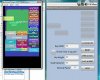
The AtrixEmulator shows the program running, this is how it should appear.

AsusDesigner and AsusEmulator have the views scattered so I could be sure the correct layout is used. This is how it should appear on the actual device.
(Of course I'll reorganise the layout before compiling).

AsusScreenshot shows that the device is using the Atrix layout.
 

Attachments

  • AsusDesigner.jpg
    AsusDesigner.jpg
    22.3 KB · Views: 315
  • AsusEmulator.jpg
    AsusEmulator.jpg
    8.7 KB · Views: 306
  • AsusScreenshot.jpg
    AsusScreenshot.jpg
    9 KB · Views: 264
  • AtrixEmulator.jpg
    AtrixEmulator.jpg
    23.5 KB · Views: 292
Upvote 0

nfordbscndrd

Well-Known Member
Licensed User
Longtime User
The screen shots are so small I can't read them.

There's any number of things that could be wrong. Try saving your layout under a different file name, then delete all the variants from the new file except the 800x1280x1, then change your app's code to load that file and see how it looks on both the emulator and the device. If that looks okay, the in the new file, create a variant for the Atrix at 540x960x1.5, move the views around so that you can tell the two variants apart, then run the app on the emulator and Asus again to see if it reverts to the Atrix variant.

If it does not, then make sure that this new layout looks as it should on the Atrix. If it does, then you can just delete the old file and work from the new file since it is working on both devices.

If the Asus still reverts to the Atrix layout (which really makes no sense if it already ran fine using the Asus variant before adding the Atrix variant), then I don't know what to tell you.

The screenshot of the Asus looks like you have it in landscape mode when everything else is in portrait. Any reason for that? It's best to stay consistent.

 
Upvote 0

YoungHarry

Member
Licensed User
Longtime User
I found the cause of the problem of the Asus tablet choosing the mobile phone layout. Not by any cleverness on my part, just stumbled over it.

I'll describe the solution in case it helps someone else.

If I set the Project Orientation Supported option to "both", and if I have my Asus docked into the keyboard, the app will be loaded in landscape mode.
The Asus layout is too long to fit on the screen in landscape, so the mobile phone layout is chosen.
It seems that the Asus won't allow my program to load in portrait if the keyboard is attached.
However, If I set the Project Orientation Supported option to "Portrait", the correct layout is selected and loaded.

So I will now make a landscape layout for the Asus tablet and that should solve that problem.
 
Upvote 0

nfordbscndrd

Well-Known Member
Licensed User
Longtime User
Yep. If you are going to allow the landscape orientation, then you normally should have a landscape layout. That's why I asked about the landscape screenshot you posted when everything else was in portrait.
 
Upvote 0

YoungHarry

Member
Licensed User
Longtime User
I actually didn't want to allow landscape, my app looks better in portrait. I didn't realise that the tablet forces landscape when it's docked to the keyboard.
Thanks for your help.
 
Upvote 0

nfordbscndrd

Well-Known Member
Licensed User
Longtime User
I actually didn't want to allow landscape, my app looks better in portrait. I didn't realise that the tablet forces landscape when it's docked to the keyboard.

You had said: If I set the Project Orientation Supported option to "both", and if I have my Asus docked into the keyboard, the app will be loaded in landscape mode.

If you don't want it to run in landscape, you should change it from Both to Portrait.
 
Upvote 0

YoungHarry

Member
Licensed User
Longtime User
You had said: If I set the Project Orientation Supported option to "both", and if I have my Asus docked into the keyboard, the app will be loaded in landscape mode.

If you don't want it to run in landscape, you should change it from Both to Portrait.

Yeah, but it's really hard to use the table in portrait when the keyboard is attached; the "soft" keyboard won't show.

I stopped being lazy and made a horizontal layout to match each of my portrait layouts. That problem now solved.

Now I have to find out how to stop the edittexts from wiping clean when the orientation changes!
 
Upvote 0

AntonBrz

Member
Licensed User
Longtime User
Most popular screen dimensions

Making versions to appear well on different models is something I'm so concerned with that I ordered two other Android devices to test them on as I go. A 7 inch tablet and a phone with a 4.5 inch screen Can anyone tell me what size device the most Android app users have? Is there a statistic somewhere??

Thanks
 
Upvote 0
Top