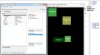
more form in the application

BackoSoft

Member
Licensed User
Longtime User
how to
I make more in the application form Basic4android
and to open the form click on the first form
how to design any particular,
how to design each one as in Visual Studio Basic form.
 

Attachments

  • vv.jpg
    vv.jpg
    66.8 KB · Views: 358
Last edited:

BarrySumpter

Active Member
Licensed User
Longtime User
Welcome.

Start with the Documentation button in the header bar of this page.

At the top of that Documentation page you find links to
step by step Beginners Guides
and heaps of tutorials for b4a
to download.

Go ahead and download and read thru and follow these guides and tutorials.
Take your time and enjoy the easy process of learning from these well written documents.


Pretty much anything you need will be in the guides and tutorials
and your questions have propbably already been asked and answered on this forum.

So be sure to use the search funtion.
Its the text box in the very top right hand corner of this page header.
The one with the magnifying glass in it.

Don't hesitate to post a query asking if anyone might be able to assist you in your native language.

Then, if need be, pose your query based upon your research.

hth
 
Last edited:
Upvote 0

BackoSoft

Member
Licensed User
Longtime User
My impression is that the interface "b4a" , forms and manipulating objects when designing forms very poorly done.
I think it should be done as in MS Visual Basic, and that cod remain the same.

I think that would attract all VB programmers to work with your software.
no matter what I possess purchased licenses for b4a and designer4Android..

:sign0087:
 
Upvote 0

BarrySumpter

Active Member
Licensed User
Longtime User
B4A creators/develops have a "keep it simple" moto.
Once you get used to it its second nature.

Don't know if you've had a look at Virtual Box soltuion yet.
But its the closest we're going to get.
Kinda a pain to get setup and keep running.
But I thought it was worth it at the time.

I've pretty much stopped using the designer.

One of the harder things I've had to get used to
in trasitioning to B4A from vb6, RB, and LC.

Not being able to see my layout and double click on a view to see the code designer.

But its all pretty easy to use.
And just about every thing I've wanted to do with Android is already here in the doco or has been asked and answered.
Including this thread topic.

And the solutions to some very powerful problems have turned out to be very simple.

And the price for being able to use basic to deploy android project is very enticing.


hth
 
Last edited:
Upvote 0

BackoSoft

Member
Licensed User
Longtime User
Although I bought a license,
I still find that the interface forms a very unsound,
and yet it's bad it takes million references and kilometric type in cod that I get a bit already and the results.

It is my opinion, this could be more simplified.
Or make the add-ins for Visual Basic. Net, where I would be done only for the export file android. Apk files
 
Upvote 0
Top