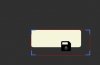
angel_ Well-Known Member Licensed User Longtime User Apr 30, 2020 #1 I can't center the position and text in a SwiftButton, I'm using this code: B4X: Dim xBtn As SwiftButton xBtn.mBase.Height = alto xBtn.mBase.Width = ancho xBtn.mBase.Top = top xBtn.mBase.Left = izq Attachments Capture.jpg 8.5 KB · Views: 588
I can't center the position and text in a SwiftButton, I'm using this code: B4X: Dim xBtn As SwiftButton xBtn.mBase.Height = alto xBtn.mBase.Width = ancho xBtn.mBase.Top = top xBtn.mBase.Left = izq
M Mahares Expert Licensed User Longtime User Apr 30, 2020 #2 angel_ said: center the position and text in a SwiftButton Click to expand... To center the button text: Code: dim btn as SwitfButton btn.xLBL.SetTextAlignment("CENTER","CENTER") Upvote 0
angel_ said: center the position and text in a SwiftButton Click to expand... To center the button text: Code: dim btn as SwitfButton btn.xLBL.SetTextAlignment("CENTER","CENTER")
angel_ Well-Known Member Licensed User Longtime User Apr 30, 2020 #3 I tried it, but it doesn't work Upvote 0
M Mahares Expert Licensed User Longtime User Apr 30, 2020 #4 angel_ said: I tried it, but it doesn't work Click to expand... You do not show any code on how you got the icon in the button text. If you used CSBuilder, it has an alignment member. I used the above code I posted on a pure text and it centered the text for me: btn.text="Test" Upvote 0
angel_ said: I tried it, but it doesn't work Click to expand... You do not show any code on how you got the icon in the button text. If you used CSBuilder, it has an alignment member. I used the above code I posted on a pure text and it centered the text for me: btn.text="Test"
Erel B4X founder Staff member Licensed User Longtime User Apr 30, 2020 #5 Why aren't you doing it with the designer? It is a custom view and it is built to be loaded and set with the designer. Upvote 0
Why aren't you doing it with the designer? It is a custom view and it is built to be loaded and set with the designer.
angel_ Well-Known Member Licensed User Longtime User Apr 30, 2020 #6 The designer is great but sometimes when I'm trying out which is the most suitable position and dimensions for the view find it more comfortable to do it with code, especially when the number of views is high Upvote 0
The designer is great but sometimes when I'm trying out which is the most suitable position and dimensions for the view find it more comfortable to do it with code, especially when the number of views is high
Erel B4X founder Staff member Licensed User Longtime User May 1, 2020 #7 You can create a layout with a single button anchored to all sides. Now load this layout to your panels whenever you want to create a new one. Upvote 0
You can create a layout with a single button anchored to all sides. Now load this layout to your panels whenever you want to create a new one.