Android Question Anchored view click in Abstract Designer

CristiMatei

Member
Licensed User
Longtime User
Hi.

I searched the forum but I did not find a reference to this issue.
I have 2 panels as in the pictures attached. panel1 is parent for panel2.
I used anchor LEFT and BOTTOM to put panel2 in the lower left corner of panel1.
So far so good, but, when I click the panel2 in abstract designer it moves as in the picture attached and the Bottom edge Distance property becomes negative number.

Is this normal, or I'm doing something wrong?

Thank you for your patience.

Panel2.jpg Panel2a.jpg Panel2Clicked.jpg Panel2Clicked-a.jpg
 

CristiMatei

Member
Licensed User
Longtime User
I've done this in this order:

Create panel1 to fill screen.
Create panel2 with panel1 as parent and sized it as in second image.
Set anchors for panel2 to LEFT and BOTTOM and made sure that Bottom Edge Distance is 0.

NOW when I click again panel2 in Abstract designer it moves by itself in the new position (last image) and Bottom Edge Distance becomes a negative number. I never inserted the value -276 anywhere. Why does not remain the panel2 in the place that I put it?

Thank you.
 
Upvote 0

CristiMatei

Member
Licensed User
Longtime User
I have installed the IDE from your email link.
Purchased it again and installed over the previous version.
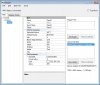
Below, screenshot of the About window:

I am the only one who's experiencing that behavior ?

Thank You.
 

Attachments

  • Versiune.jpg
    Versiune.jpg
    56.3 KB · Views: 293
Upvote 0

CristiMatei

Member
Licensed User
Longtime User
Yes. It happens when I change the anchor from TOP or LEFT to BOTTOM or RIGHT. The panel jumps in that direction and the property "Bottom edge distance" or "Right edge distance" jumps to a negative number. If I use BOTH anchor then the panel jumps too. It doesn't matter which view I choose to anchor it happens the same way. I even uninstalled and reinstalled the application, it behaves the same way. What I noticed is that if I downloaded a sample made by somebody else the issue is gone. So maybe observing the differences between the same project made on my laptop and the project made by somebody else could be of use in resolving this issue. Unfortunately I'm not able to do this and is very frustrating.

Thank you Erel.
 
Upvote 0

CristiMatei

Member
Licensed User
Longtime User
If I let the values of "Bottom edge distance" as in the picture attached and I click on panel2 then it stays in place no matter how many times I click on it.

If I change the "Bottom edge distance" value to 0 and then I click on the panel2 it jumps away to the bottom and the "Bottom edge distance" value jumps to -251.

If I'm not doing anything else but click panel2 again it jumps out of sight (layout height) and the "Bottom edge distance" value jumps to -501.

This is crazy.
 

Attachments

  • Testari.jpg
    Testari.jpg
    218.8 KB · Views: 272
Upvote 0
Top