Android Question Responsive Design

Pilar-JLSineriz

Active Member
Licensed User
Longtime User
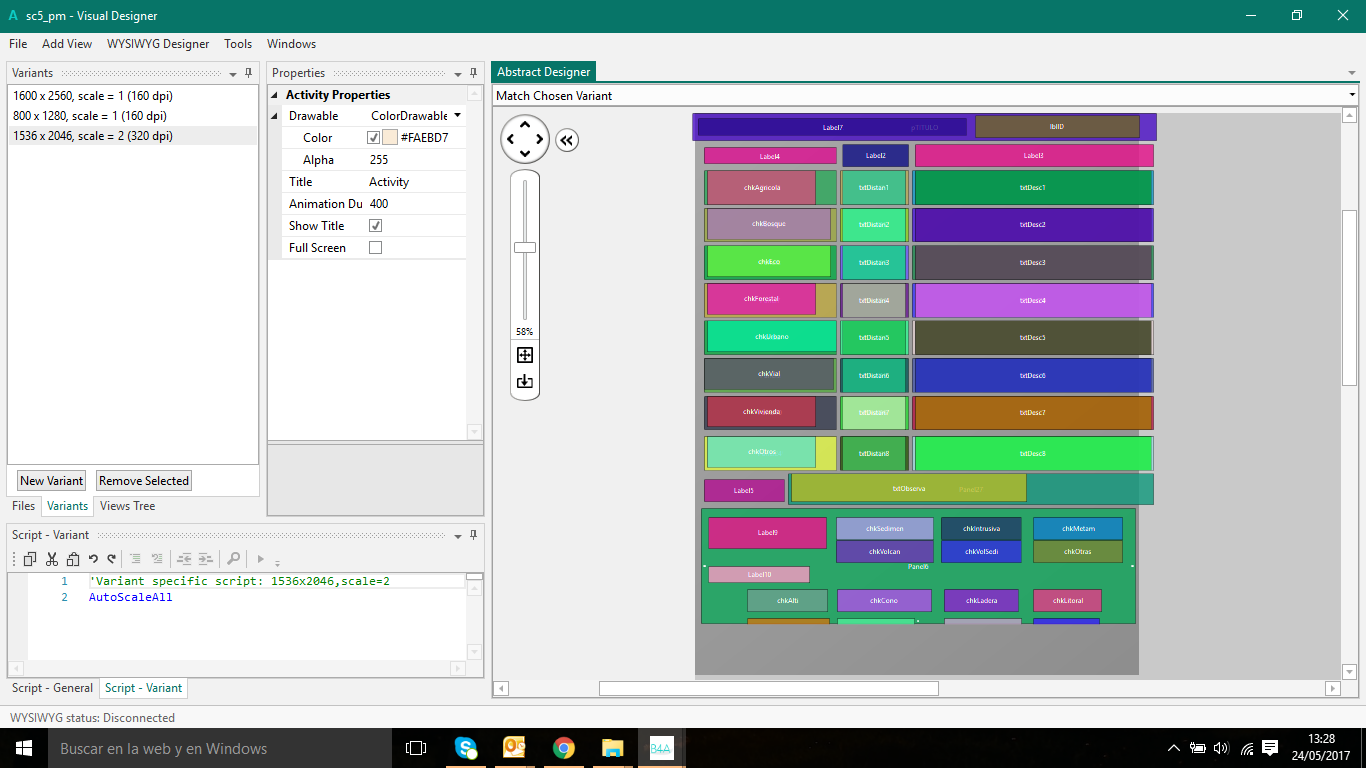
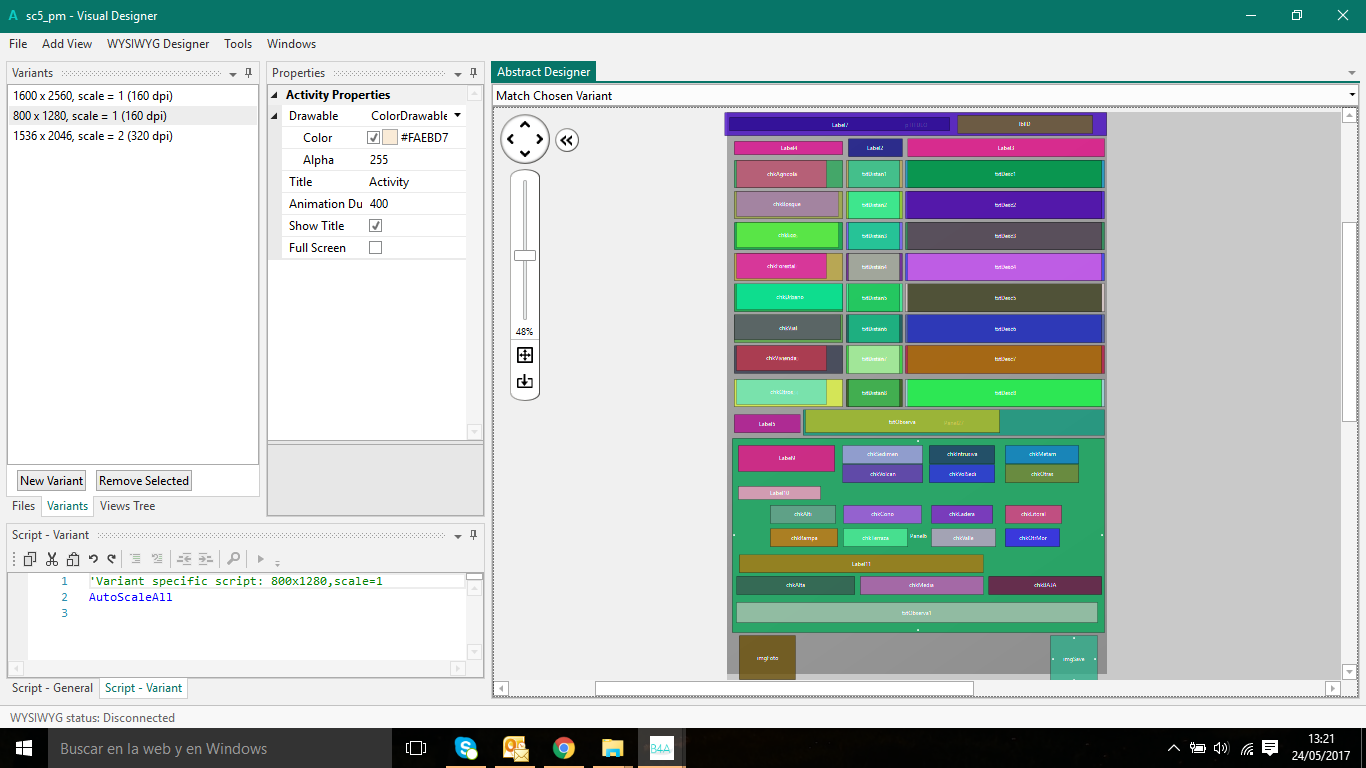
I have a problem. My first design is for a resolution 1600x2560, and now I want to change 1536x2048, and logically I don´t have place in the new design for all the controls. (First figure, the first design, and second figure, the second design).

As you can see, if I use "anchor" and autoscale all, I have the posibility to adjust the width, but.. could I have the possibilty to adjust the heigth????

Is there any command to change the resolution similar the screen of a PC??

Thanks
upload_2017-5-24_13-22-0-png.56020


upload_2017-5-24_13-28-18-png.56021
 

Star-Dust

Expert
Licensed User
Longtime User
Hi, why not put all in a panel inside a ScrollView? If the screen is less than expected, you can turn it down.
 
Upvote 0

Erel

B4X founder
Staff member
Licensed User
Longtime User
1. Never create variants with a scale different than 1.0. It only makes it more difficult.
1536x2048, scale = 2 is the same as 768x1024, scale = 1
This is similar enough to the 800x1280, scale = 1 variant which means that you don't need to create a new variant.

2. The fewer variants created the better.

3. You can use the vertical anchors to control the height. It is exactly the same as the horizontal anchors.
I recommend you to check this example: https://www.b4x.com/android/forum/threads/b4x-anchors-demonstrated.64112/#content
 
Upvote 0

Pilar-JLSineriz

Active Member
Licensed User
Longtime User
Yes, I checked Erel's example, but my problem is other (I think),
  • First I have a large amount of controls in each form. In your example, only there are 9 controls.

  • I made all the design for a resolution of screen (I suppose that I have 150 forms at least), and now I have to change all for a inferior resolution. I was looking as I could make it without to recollocate all controls again, but I believe that it´s the only option. If I could select the resolution of the tablet screen and to work with an inferior resolution I think that the problem will be solve.
  • I don´t know that I have the possibility to put a panel inside a scroll view. In this case, the problem it's the same. I have to redesign all the forms again.
Thanks and best regards
 
Upvote 0

Star-Dust

Expert
Licensed User
Longtime User
It is not necessary to redraw everything.
Use a ScrollView or ScrollView2D library that you can put all the objects as they are and the panel will move horizontally and vertically if needed
 
Upvote 0

Star-Dust

Expert
Licensed User
Longtime User
Create a 1600x2560 (or 1536x2048) new panel in Layout, Select All Views, and Cut and Paste on the new Panel.
From Code Enter the panel in ScrollView or ScrollView2

B4X:
ScrollView.panel.AddView(NewPanel, 0, 0, NewPanel.width, NewPanel.Height)
ScrollView.width = 100%x
ScrollView.height y = 100%y
 
Upvote 0

Star-Dust

Expert
Licensed User
Longtime User
Sorry little lack
B4X:
ScrollView.panel.AddView(NewPanel, 0, 0, NewPanel.width, NewPanel.Height)
ScrollView.width = 100%x
ScrollView.height y = 100%y
ScrollView.panel.width = NewPanel.width
ScrollView.panel.height y = NewPanel.height

That's OK
 
Upvote 0

Pilar-JLSineriz

Active Member
Licensed User
Longtime User
.... hello dear Star-dust, why star-dust?
In this morning I am going to test your sugerences. I think that it's better the use of scrollview although I have to create again 300 forms..........
 
Upvote 0

Star-Dust

Expert
Licensed User
Longtime User
Hello "dear" Pilar-JLSineriz, is a nick name that my friend suggested to me when I first met the internet and came into my first chat. In the year 1998 ...
It's also the name of the account I'm distributing my App on the Google Store.(Click Here)

When you have many objects I prefer to put them on scrollview, this makes it easier to make changes for screens of different sizes. But it's my opinion, others use anchoring objects. In my opinion, small screens would be deformed and on very large screens they seem grotesque.
 
Upvote 0

Pilar-JLSineriz

Active Member
Licensed User
Longtime User
Hello "dear" Pilar-JLSineriz, is a nick name that my friend suggested to me when I first met the internet and came into my first chat. In the year 1998 ...
It's also the name of the account I'm distributing my App on the Google Store.(Click Here)

When you have many objects I prefer to put them on scrollview, this makes it easier to make changes for screens of different sizes. But it's my opinion, others use anchoring objects. In my opinion, small screens would be deformed and on very large screens they seem grotesque.

Uffffffffff I suppose that I have to use scroll... I don´t want to think the big work that I have to do it..
 
Upvote 0

Star-Dust

Expert
Licensed User
Longtime User
Is simple
 
Upvote 0

Pilar-JLSineriz

Active Member
Licensed User
Longtime User
and bored because I have a lot of forms with a great quantity of controls in each one.

I would be better in I could change the tablet resolution and I had the possibility to work with a minor resolution and to adapt the designs. :-(
 
Upvote 0
Top