Android Question Test B4A3.2 's anchor.

Theera

Expert
Licensed User
Longtime User
Hi Erel,
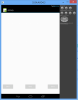
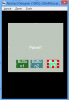
I've download a new version and test about anchor feature. I create panel1 and 3 buttons.
The first step,I create button1 on the panel1,the second step,I create button2 by duplicated button1 and the last step,I create button3 as same as do button1. My problem are:
1. after run,I see only button2
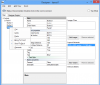
2. In designer,button2's parent is activity isn't panel1 as same as button's parent.
 

Attachments

  • TestAnchor.zip
    7.1 KB · Views: 260
  • TestAnchor.png
    TestAnchor.png
    5.6 KB · Views: 338
  • WhynotInsidePanel1.png
    WhynotInsidePanel1.png
    23.1 KB · Views: 340

Theera

Expert
Licensed User
Longtime User
Hi Erel,
I need Delete menu in order to delete view which I don't want. and When I need to bring button2 be front,it's not do.
 

Attachments

  • NeedButton2BeFront.png
    NeedButton2BeFront.png
    5.3 KB · Views: 284
  • ShouldHasDeleteMenu.png
    ShouldHasDeleteMenu.png
    20.2 KB · Views: 277
  • NeedButton2BeFront.zip
    7.1 KB · Views: 254
Upvote 0

Erel

B4X founder
Staff member
Licensed User
Longtime User
You can use Cut to delete a view.

About the "invisible views". Change their anchor to LEFT, TOP and you will see that their dimensions are 0 or negative values.

You should understand how BOTH anchor works. Horizontal BOTH means that the distance to the left edge and the distance to the right edge are constant. This means that the width will change automatically.

Play with the panel width (in the abstract designer). You will see how the width changes together with the panel. If you decrease the panel's width too much the views will disappear.

BOTH should usually used with large views that are close to their parents bounds.
 
Upvote 0

Theera

Expert
Licensed User
Longtime User
Hi Erel,
I've tried to set button1's parent is activity ,but button2 and button3 still have parent is panel1. Why are button2 and button3 not show? Please test a new sourcecode.

P.S. I think that Bring to Front munu and Send to back menu have problems in post#3,I cann't do them.
 

Attachments

  • TestAnchor3.zip
    7.1 KB · Views: 261
Upvote 0

Theera

Expert
Licensed User
Longtime User
Hi Erel,
How to control size of button2 is the same size of button1 or size of button3 (I need all of size is equal)
 

Attachments

  • TestAnchor4.zip
    7.1 KB · Views: 271
  • result1.png
    result1.png
    24.5 KB · Views: 303
  • result2.png
    result2.png
    22.8 KB · Views: 279
Upvote 0

Theera

Expert
Licensed User
Longtime User
Hi Erel,
Your video cann't explain more than I get understand.

Please attached file, I don't see width property(See only height). In H. Anchor or V. Anchor ,I cann't select unAnchored option.
 

Attachments

  • PropertyOfButton2.png
    PropertyOfButton2.png
    20.2 KB · Views: 305
Upvote 0

Theera

Expert
Licensed User
Longtime User
Hi Erel,
I've succeeded to understand anchored view,but I'm not clearly, I have question about this anchored view tutorial that every views' parent is always activity ,or not ? (in my case which has panel1) Can I set buttons' prarents are panel1,cann't I?
 

Attachments

  • HResult.png
    HResult.png
    27.5 KB · Views: 299
  • VResult.png
    VResult.png
    32.7 KB · Views: 318
Upvote 0
Top