Android Question using borders on panels instead of filling

dualznz

Member
Licensed User
Longtime User
Hi all this may not be possible without a custom library

is there anyway to code a panel to not fill with a color instead use a border as it blends with application backgrounds much easier.

cheers
 

eps

Expert
Licensed User
Longtime User
Could you not draw two panels, one behind, but slightly larger on all dimensions, which then becomes the border? or is the shape not a rectangle?
 
Upvote 0

rbsoft

Active Member
Licensed User
Longtime User
Could you not draw two panels, one behind, but slightly larger on all dimensions, which then becomes the border? or is the shape not a rectangle?
I also use the two panel solution for frames. Since Dualznz is mentioning panels they should be rectanguar. So this would be the easiest solution.
 
Upvote 0

dualznz

Member
Licensed User
Longtime User
it is a rectangle i am hard coding the panels that will running through a loop to display a listing.
as i am using a custom background it just will be a slightly lighter color border but the background will be still transpearent
 
Upvote 0

dualznz

Member
Licensed User
Longtime User
how would i go about adding the border to this as i am hard coding the panel

B4X:
' panel that holds each item
        ItemPnl.Initialize("ItemPnl")
        ItemPnl.Tag = ID
 
        panelGreen.AddView(ItemPnl, 0, ItemPnlTop, svcMain.Width, ItemPnlHeight)
 
        Dim gd1 As GradientDrawable
        Dim cols1(2) As Int
        gd1.Initialize("TOP_BOTTOM", cols1)
        gd1.CornerRadius = 20
        ItemPnl.Background = gd1
 
        cols1(0) = Colors.LightGray
        cols1(1) = Colors.DarkGray

without the radius of course

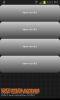
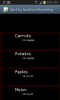
i have attached 2 images to this
image 1 = current design from code
image 2 = what i am trying to achieve (more dynamic and fits in)
 

Attachments

  • Screenshot_2013-08-21-14-01-24.png
    Screenshot_2013-08-21-14-01-24.png
    63 KB · Views: 360
  • poposedpanels.png
    poposedpanels.png
    48.3 KB · Views: 375
Last edited:
Upvote 0

dualznz

Member
Licensed User
Longtime User
ok so this is what i came up with i dont know if its the way i should be doing it but it seems to work
and it will work based of screen size as well as these are contained within a panel that holds each item
B4X:
Dim pnlColorTop As Panel
        pnlColorTop.Initialize("pnlColorTop")
        ItemPnl.AddView(pnlColorTop, 0, 0, 99%x, 1dip)
        pnlColorTop.Color = Colors.Red
      
        Dim pnlColorLeft As Panel
        pnlColorLeft.Initialize("pnlColorLeft")
        ItemPnl.AddView(pnlColorLeft, 0, 0, 1dip, 89dip)
        pnlColorLeft.Color = Colors.Red
      
        Dim pnlColorBottom As Panel
        pnlColorBottom.Initialize("pnlColorBottom")
        ItemPnl.AddView(pnlColorBottom, 0, 89dip, 99%x, 1dip)
        pnlColorBottom.Color = Colors.Red
      
        Dim pnlColorRight As Panel
        pnlColorRight.Initialize("pnlColorRight")
        ItemPnl.AddView(pnlColorRight, 99%x, 0, 1dip, 89dip)
        pnlColorRight.Color = Colors.Red

I added this to another project that i was working on to see if it work on that
i noticed that i will have to adjust the vies through addview but thats straight forward
 

Attachments

  • Screenshot_2013-08-21-15-05-26.png
    Screenshot_2013-08-21-15-05-26.png
    38 KB · Views: 321
Upvote 0

rbsoft

Active Member
Licensed User
Longtime User
So you are adding 4 panels as frame to each panel. I had thought more of something like this - a panel inside a panel:
B4X:
Sub AddPanels()
    'P1B = Background Panel
    'P1F = Foreground Panel
    P1B.Initialize("P1B")
    Activity.AddView(P1B,0,10,100%x,150)
    P1B.Color = Colors.Red
   
    P1F.Initialize("P1F")
    P1B.AddView(P1F,1%x,1%y,98%x,140)
    P1F.Color = Colors.Gray
End Sub

Rolf
 

Attachments

  • TwoPanels2.zip
    6.7 KB · Views: 254
Upvote 0

dualznz

Member
Licensed User
Longtime User
thanks for the heads up
in the end i decided to scrap the full boarder as it looked to over whelming instead i did a bottom 1dip panel which turned out great as you can see in the below actual application image

all the data is being generated from UDPsockets, i still have a ton more programming to go for this application but its slowly coming along
 

Attachments

  • Screenshot_2013-08-21-20-56-47.png
    Screenshot_2013-08-21-20-56-47.png
    158.7 KB · Views: 369
Upvote 0
Top