
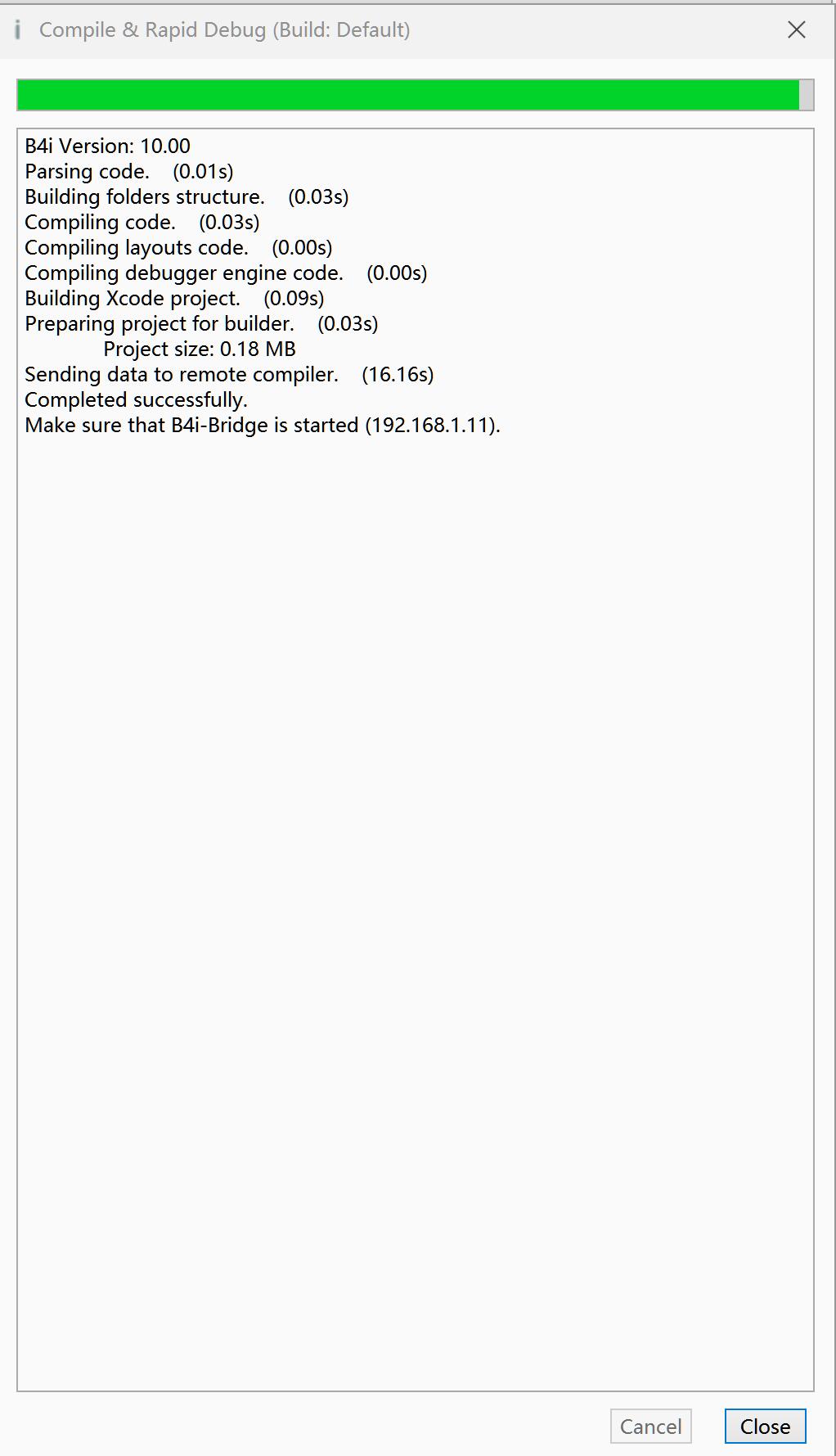
iOS Question When running debug on the hosted Mac builder service, it automatically stops after about 90 seconds.

winjiadh

Active Member
Licensed User
Longtime User
I don't know why when I run debug on the hosted Mac builder service, it automatically stops after about 90 seconds. I set the time to 900 in Tools - IDE Settings - Configure process timeout? but it doesn't work either.
20260508210001.jpg

B4i-Bridge runs normally on the iPhone, and it also prompts to allow the installation of a new app. When the app download reaches about 90 seconds, the B4i program crashes.
 
Last edited:

winjiadh

Active Member
Licensed User
Longtime User
Compilation finished successfully.

What exactly happens next?
Thank goodness! After you replied to me, the program finally runs normally today. I have captured two screenshots, and the interval between the two images is more than about 150 seconds. I have set the remote connection timeout to 480 seconds, but the setting still doesn't work. Could you please help check again what is causing this issue?
20260510184439.jpg
11160510185241.jpg
 
Upvote 0

winjiadh

Active Member
Licensed User
Longtime User
Have you tried to switch to the secondary builder (Tools - Build Server - Settings)? They are located in different hosting centers so network effects might differ.
20260510184439.jpg

yes, this is my build server settings. Maybe my internet is too slow.
 
Upvote 0

winjiadh

Active Member
Licensed User
Longtime User
I’ve installed the B4iBuildServer10.jar you provided on a Mac Mini M4.
I tried to compile over the local area network, but encountered the following error.
I followed the web you provided.https://www.b4x.com/android/forum/threads/local-mac-builder-installation.46402/page-11#posts
Check the "Test" page: <Mac ip>:51041/test like this
11160510185241.jpg

I click the "tools"->Build Server->Build B4i Bridge App. Show the error shown in the figure below.
20260510184439.jpg
 
Upvote 0

winjiadh

Active Member
Licensed User
Longtime User
Better to post the text. The large screenshots make it difficult to read this thread.

With the local builder, start with running on the simulator (Tools - Device IP Address - Simulator). Does it work?
Thank goodness, after you replied to me, I finally got B4I 10.0 up and running on my local server.But strangely, the compiled APP only exists in the B4I build Server directory, and I have to install it manually using Apple Configurator.Can’t it install itself automatically? Or is there another way to do it?I'm really sorry. Next time when I upload pictures, I will definitely compress or crop them first before uploading to avoid using overly large images. Thank you for your reminder.
the simulator is OK and the Apple Configurator is OK.
I found the ipa files in the B4iBuildServer10\UploadedProjects, I have to install it to my iphone manually using Apple Configurator.
20260511132208.jpg
 
Last edited:
Upvote 0
Top