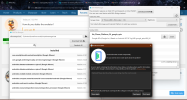
I have i7 with 16gb. B4A runs fine and emulator also works fine.
Then I saw 'recommended' to install emulator in sdk list. I installed it.
Now emulator not starting.
Did restart ADB server and restart emulator.
Got below error message
Do not understand what to change where. Please help.
Then I saw 'recommended' to install emulator in sdk list. I installed it.
Now emulator not starting.
Did restart ADB server and restart emulator.
Got below error message
B4X:
Error:
INFO         | Android emulator version 36.5.11.0 (build_id 15261927) (CL:N/A)
INFO         | Graphics backend: gfxstream
INFO         | Found systemPath E:\Android\system-images\android-36\google_apis\x86_64\
INFO         | Changing default hw.initialOrientation to portrait

WARNING      | Please update the emulator to one that supports the feature(s): VulkanVirtualQueue
INFO         | Increasing RAM size to 2048MB
INFO         | IPv4 server found: 192.168.0.1
INFO         | Ignore IPv6 address: f0b4:d008:7401:0:f0b4:d008:7401:0
INFO         | Ignore IPv6 address: f0b4:d008:7401:0:f0b4:d008:7401:0
INFO         | Ignore IPv6 address: f0b4:d008:7401:0:f0b4:d008:7401:0
INFO         | Ignore IPv6 address: 8bb:d008:7401:0:f0b4:d008:7401:0
INFO         | Ignore IPv6 address: 8bb:d008:7401:0:f0b4:d008:7401:0
INFO         | Ignore IPv6 address: 8bb:d008:7401:0:f0b4:d008:7401:0
INFO         | Ignore IPv6 address: 98c8:d008:7401:0:f0b4:d008:7401:0
INFO         | Ignore IPv6 address: 98c8:d008:7401:0:f0b4:d008:7401:0
INFO         | Ignore IPv6 address: 98c8:d008:7401:0:f0b4:d008:7401:0
INFO         | Ignore IPv6 address: b8ce:d008:7401:0:f0b4:d008:7401:0
INFO         | Ignore IPv6 address: b8ce:d008:7401:0:f0b4:d008:7401:0
INFO         | Ignore IPv6 address: b8ce:d008:7401:0:f0b4:d008:7401:0
##############################################################################
##                        WARNING - ACTION REQUIRED                         ##
##  Consider using the '-metrics-collection' flag to help improve the       ##
##  emulator by sending anonymized usage data. Or use the '-no-metrics'     ##
##  flag to bypass this warning and turn off the metrics collection.        ##
##  In a future release this warning will turn into a one-time blocking     ##
##  prompt to ask for explicit user input regarding metrics collection.     ##
##                                                                          ##
##  Please see '-help-metrics-collection' for more details. You can use     ##
##  '-metrics-to-file' or '-metrics-to-console' flags to see what type of   ##
##  data is being collected by emulator as part of usage statistics.        ##
##############################################################################
INFO         | Guest GLES Driver: Auto (ext controls)
INFO         | emuglConfig_get_vulkan_hardware_gpu_support_info: Found physical GPU 'Intel(R) UHD Graphics', type: VK_PHYSICAL_DEVICE_TYPE_INTEGRATED_GPU, apiVersion: 1.4.323, driverVersion: 0.405.2981

INFO         | emuglConfig_init: vulkan_mode_selected:host gles_mode_selected:host
INFO         | Checking system compatibility:
INFO         |   Checking: hasCompatibleHypervisor
INFO         |      Ok: Hypervisor compatibility to run avd: `6in_Phone_Platform_36_google_apis` are met
INFO         |   Checking: hasSufficientSystem
INFO         |      Ok: System requirements to run avd: `6in_Phone_Platform_36_google_apis` are met
INFO         |   Checking: hasSufficientHwGpu
INFO         |      Ok: Hardware GPU requirements to run avd: `6in_Phone_Platform_36_google_apis` are passed
INFO         |   Checking: hasSufficientDiskSpace
INFO         |      Ok: Disk space requirements to run avd: `6in_Phone_Platform_36_google_apis` are met
FATAL        | Running multiple emulators with the same AVD is an experimental feature.Please use -read-only flag to enable this feature.
Do not understand what to change where. Please help.