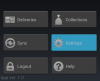
Icons and Text on standard button

joneden

Active Member
Licensed User
Longtime User
Hi,

I'm trying to add an icon to a standard button as per the top of this page:

Buttons | Android Developers

Obviously I can change the background image on the button but I want to keep the standard button mechanisms and add the icon along with some text to the right - exactly like the page shows.

Any pointers?

This feels like such a newbie question yet it doesn't seem to have been asked before :(

Regards,

Jon
 

Informatix

Expert
Licensed User
Longtime User
Hi,

I'm trying to add an icon to a standard button as per the top of this page:

Buttons | Android Developers

Obviously I can change the background image on the button but I want to keep the standard button mechanisms and add the icon along with some text to the right - exactly like the page shows.

Any pointers?

This feels like such a newbie question yet it doesn't seem to have been asked before :(

Regards,

Jon

Btn.Gravity = Gravity.RIGHT ?
 
Upvote 0

joneden

Active Member
Licensed User
Longtime User
no that's fine - it's adding the icon that I'm having trouble with.

I could change the background if I want but I can't find out where to set the image that should appear with the text....
 
Upvote 0

anallie0

Active Member
Licensed User
Longtime User
If you do not have to change the text, you can create two images and insert them into the property buttobs DefaultDrawable.
 
Upvote 0

joneden

Active Member
Licensed User
Longtime User
Cool - I can give up searching for it now.

On the panel approach I think I'll create a class to handle this.

My thinking is that I can use the 9 patch approach to handle the button's normal appearance and the pressed appearance. Then just use the touch events for switching between the appearances and the click event.

Cheers,

Jon
 
Upvote 0

Informatix

Expert
Licensed User
Longtime User
Cool - I can give up searching for it now.

On the panel approach I think I'll create a class to handle this.

My thinking is that I can use the 9 patch approach to handle the button's normal appearance and the pressed appearance. Then just use the touch events for switching between the appearances and the click event.

Cheers,

Jon

9-patch or not, what you need for that is a StateListDrawable.
 
Upvote 0

Roger Garstang

Well-Known Member
Licensed User
Longtime User
With a 9 patch you wouldn't need to use a panel and can use the button's handling to change appearance since it will use the Statelist. Just make your 9 Patch include the image portion and setup the content region where you want your text and the 9 patch will handle everything.

The only thing I've found that the button (And Statelists) won't handle right is if your 9 Patches shift the Content Area so the text moves to make it appear more 3D. I ended up using a Label and Handeled the Click and for Touch(Use Reflection to set Touch Event) I used:

B4X:
Private Sub Button_Touch(viewtag As Object, action As Int, x As Float, y As Float, moveEvent As Object) As Boolean
Dim myControl As Label

   myControl = Sender
   If action = 0 Then myControl.Background = SetNinePatchDrawable("buttondown")
   If action = 1 OR x < 0 OR y < 0 OR x > myControl.Width OR y > myControl.Height Then myControl.Background = SetNinePatchDrawable("buttonup")
End Sub

If you come up with a better Touch Event let me know...on a device here the accuracy isn't as great and sometimes the button stays looking pressed when I move my finger out.
 
Last edited:
Upvote 0

joneden

Active Member
Licensed User
Longtime User
Hi Roger

Thanks for that - I ended up going another way - I draw a panel, drop the icon and the text onto it.

The way I saw it was that using the 9 patch as a background I'd need to do it for each icon.

I've attached a copy of the class that I made for it, it seems to work quite well although the 9 patch is amended from teh widget template so could be better but hey ho. I'll be expanding on this and adding to the tutorials somepoint although it would be nice if someone capable of java could just write a lib with a new view instead.

Also attached is a screenshot of some of the buttons, one is being pressed.

Have a good weekend,

Cheers,

Jon
 

Attachments

  • SampleClassIconButton.zip
    18.8 KB · Views: 347
  • Screenshot_2012-09-21-20-09-21.png
    Screenshot_2012-09-21-20-09-21.png
    27.4 KB · Views: 383
Last edited:
Upvote 0

Informatix

Expert
Licensed User
Longtime User
With a 9 patch you wouldn't need to use a panel and can use the button's handling to change appearance since it will use the Statelist. Just make your 9 Patch include the image portion and setup the content region where you want your text and the 9 patch will handle everything.
I don't understand how you can have a custom 9-patch on the background and a pressed state background at the same time... Do you mean you create the pressed state images for every button?
 
Upvote 0

joneden

Active Member
Licensed User
Longtime User
My intent was to expand the library with other useful controls.

As you both well know, libs are very helpful as they move functionality out of the project into a centrally managed place. I feel that having a control no matter how small in a centralised lib is better than repeating code over several projects.

Maintenance of the lib code will be much easier than a class that you copy and paste in to B4a for each use.
 
Last edited:
Upvote 0

joneden

Active Member
Licensed User
Longtime User
damn, I was hoping that there was something I'd missed. Maybe Erel can add in some form of linking in a future version.
 
Upvote 0

Dave O

Well-Known Member
Licensed User
Longtime User
If this is a standard Android button design (icon + text), I would think it would have a proper widget defined in the SDK. Which means it could be wrapped for B4A?

Ideally it would be added as a first-class view in the B4A designer, and the world would be a happy place. :)

This is one thing I think could be improved in future versions of B4A - add more "standard" Android views to the designer - but I'll create a separate post for that.

Cheers!
 
Upvote 0
Top