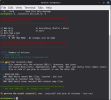
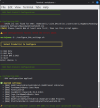
The script is modified from the combination of B4A Wine Installer and B4J Wine Installer script generated by AI (Qwen3.6-Plus chat)
Using a single wine prefix saved you 3GB+ of diskspace.
Disclaimer: I haven't really fully tested it. Use it at your own risk.
How to use
Just 3 lines of commands (You can copy and paste in one go).
When you double-click on a launcher (desktop icon), Linux Mint will prompt you to choose "Launch Anyway" or "Mark Executable". Choose the latter so it won't ask you again.
Remember to comment the #CustomBuildAction: folders ready for RoboCopy.exe or Shared Files
Even if you have run "configure_b4x_settings.sh", B4A still pops up asking you to set the Paths, just click "Ok" to save the settings.
Make sure you have deleted old scripts and you are not downloaded the new script which renamed to .sh1 extension. Otherwise you are not executing the new script.
Tips: To run winetricks, run winetricks prefix=.wine_b4x
Contributing
Found an issue or have an improvement?
Fork the repository
Create a feature branch
Submit a Pull Request
Credits
Special thanks to B4X members who have contributed tutorial/guides in the past so that AI could use them as references to assist me to generate this script. @Mihai Rainer Jr.@walt61@Raboebie
Finally worked out why Wine stable from WineHQ would not install. Some time back I did a rather stupid thing: I installed Ubuntu Pro (with ESM Apps, ESM Infra & Kernel Livepatch). I eventually realised my mistake and stupidly removed it in the wrong way (i.e. by merely disabling it in Ubuntu's 'Software & Updates). I've now re-enabled Ubuntu Pro and then removed it in the correct way. If anybody has done the same and wants to know how to do this, please contact me.
I have now installed B4A (including latest stable Wine from WineHQ) using the script referred to in post #1 and B4A works correctly.
I installed B4A successfully using the script at the start of the thread. 3 things I noticed:
1. On starting B4A (e.g. by double clicking a B4A file for a project in Nautilus File Manager) there is a black window flash before the B4X coding is displayed. This doesn't really matter and I think that I've seen reference to it somewhere.
2. When I switch from B4A, when a popup such as Find/Replace is displayed, to another app (e.g. Firefox): I see the borders of the popup displayed. Is this due to Wine or something else? Again not a big deal.
3. Often (particularly if there is an error displayed by B4A) all the coding flashes (not just the bit where the error points to) and irritatingly the coding moves up and down a few lines. This irritation makes it difficult to correct coding and write new coding.
Reinstall mode verifies Wine is present, creates the prefix only if missing, and still recreates desktop launchers.
Configuration output now shows Mode: Install or Mode: Reinstall, and the completion summary notes when dependencies were skipped.
Fixed
WineHQ apt source no longer corrupted on Linux Mint— the root cause of E: Malformed entry 1 in sources file .../winehq.sources (Component):
get_ubuntu_codename() now prefers UBUNTU_CODENAME from /etc/os-release (Mint's lsb_release -sc returns the Mint codename, e.g. wilma, which WineHQ doesn't use); WINE_REPO_CODENAME override is respected as-is.
All log_info/log_warn/log_success output goes to stderr, so warning text can never be captured into CODENAME=$(...) and written into the sources file.
Codename is stripped of CR/whitespace and validated (^[a-z0-9]+$); invalid values abort with a clear message.
Generated winehq.sources is validated (Types/Suites/Components) before apt reads it; on validation or apt update failure the file is removed automatically so system apt is never left broken.
B4A-only install no longer aborts silently — download_file failures now print [!] Download failed: <url> and remove the partial file (previously wget -q failed silently under set -e, killing the script before the desktop launcher was created).
B4X resources step is non-fatal — download/extract failure only warns; B4A installs and the launcher is created regardless.
Silent unzip exits for the JDK and Android command-line tools now report a clear error instead of ending the script with no output.
Changed
Existing B4A.exe / B4J.exe in drive_c/temp are removed before every download to guarantee a fresh installer.
Android commandlinetools zip (~136 MB) is downloaded only when SDK tools are actually missing — no re-download on every run and no leftover zip in temp on the skip path.
Added an "Extracting B4X resources…" progress message (extraction previously looked like a hang due to unzip -q).
Script header credits updated (Qwen3.6 Plus + MiMo-V2.6-Flash Free) and date bumped to 22 Sep 2026.
Reinstall mode verifies Wine is present, creates the prefix only if missing, and still recreates desktop launchers.
Configuration output now shows Mode: Install or Mode: Reinstall, and the completion summary notes when dependencies were skipped.
Fixed
WineHQ apt source no longer corrupted on Linux Mint— the root cause of E: Malformed entry 1 in sources file .../winehq.sources (Component):
get_ubuntu_codename() now prefers UBUNTU_CODENAME from /etc/os-release (Mint's lsb_release -sc returns the Mint codename, e.g. wilma, which WineHQ doesn't use); WINE_REPO_CODENAME override is respected as-is.
All log_info/log_warn/log_success output goes to stderr, so warning text can never be captured into CODENAME=$(...) and written into the sources file.
Codename is stripped of CR/whitespace and validated (^[a-z0-9]+$); invalid values abort with a clear message.
Generated winehq.sources is validated (Types/Suites/Components) before apt reads it; on validation or apt update failure the file is removed automatically so system apt is never left broken.
B4A-only install no longer aborts silently — download_file failures now print [!] Download failed: <url> and remove the partial file (previously wget -q failed silently under set -e, killing the script before the desktop launcher was created).
B4X resources step is non-fatal — download/extract failure only warns; B4A installs and the launcher is created regardless.
Silent unzip exits for the JDK and Android command-line tools now report a clear error instead of ending the script with no output.
Changed
Existing B4A.exe / B4J.exe in drive_c/temp are removed before every download to guarantee a fresh installer.
Android commandlinetools zip (~136 MB) is downloaded only when SDK tools are actually missing — no re-download on every run and no leftover zip in temp on the skip path.
Added an "Extracting B4X resources…" progress message (extraction previously looked like a hang due to unzip -q).
Script header credits updated (Qwen3.6 Plus + MiMo-V2.6-Flash Free) and date bumped to 22 Sep 2026.
I used the script at https://www.b4x.com/android/forum/threads/linux-b4x-wine-installer.171136/ to install B4A only (i.e. not B4J) under Ubuntu Noble. So I'm not familiar with the install parameters etc above. Could you be more specific as to what I should do to not have the irritations referred to in my previous post #43) on this topic?
I used the script at https://www.b4x.com/android/forum/threads/linux-b4x-wine-installer.171136/ to install B4A only (i.e. not B4J) under Ubuntu Noble. So I'm not familiar with the install parameters etc above. Could you be more specific as to what I should do to not have the irritations referred to in my previous post #43) on this topic?
In short, the updates added option to reinstall B4A/B4J only or both when new versions are released without reinstalling other packages such as wine, jdk and android sdk which you have already installed in previous version.
You don't need to run this script again if you have successfully install B4A.
My advice is use Linux Mint. Ubuntu may not a good choice for B4X IDE even though Linux Mint is based on Ubuntu, I think Linux Mint team has done some tweaks to make it runs more smoothly.
In short, the updates added option to reinstall B4A/B4J only or both when new versions are released without reinstalling other packages such as wine, jdk and android sdk which you have already installed in previous version.
You don't need to run this script again if you have successfully install B4A.
My advice is use Linux Mint. Ubuntu may not a good choice for B4X IDE even though Linux Mint is based on Ubuntu, I think Linux Mint team has done some tweaks to make it runs more smoothly.
There is no way that I am switching from Ubuntu to Linux Mint. I've tried Linux Mint in the past and did not like it, amongst other reasons is that it's too much like Windows for my taste. BTW the only MS app that I use is B4A. Do you have any idea as to who to contact in the Linux Mint team to find out what these tweaks are?
There is no way that I am switching from Ubuntu to Linux Mint. I've tried Linux Mint in the past and did not like it, amongst other reasons is that it's too much like Windows for my taste. BTW the only MS app that I use is B4A. Do you have any idea as to who to contact in the Linux Mint team to find out what these tweaks are?
Btw, I also didn't like Linux Mint but now I prefer it more than Ubuntu.
If you don't like the desktop environment (Mate, xfce or Cinnamon), you can customize it or use different one. You can install Gnome too.
Wine is the best option to run B4A. There are other options to run Windows only software.
You can try Bottle, WinBoat or VirtualBox.
I'd still like to contact the appropriate person(s) in the Linux Mint team to find out about these tweaks from Mint so that I can put them in Noble. My assumption is that the tweaks would have been put into Linux Mint's version of Wine rather than into Linux Mint itself. Is that correct?
I've used VirtualBox before for other reasons. One issue is that I don't even have a copy of Windows. And I'm certainly not going to pay for one as well as the fact that I dislike using Windows and hate MicroShaft!
I'd still like to contact the appropriate person(s) in the Linux Mint team to find out about these tweaks from Mint so that I can put them in Noble. My assumption is that the tweaks would have been put into Linux Mint's version of Wine rather than into Linux Mint itself. Is that correct?
I've used VirtualBox before for other reasons. One issue is that I don't even have a copy of Windows. And I'm certainly not going to pay for one as well as the fact that I dislike using Windows and hate MicroShaft!
I don't think this is how it works.
I guess the difference between Linux Mint and Ubuntu is only on the desktop environment choice and version of software packages.
The kernel should be the same unless there is an update.
I am not sure about your hardware configurations because you didn't share them.
Some softwares work well on certain hardware, some don't.
As I already tested on both Ubuntu Noble and Linux Mint Zena.
Maybe my hardware works better. Maybe my configurations are we'll set.
It's hard to tell since we both may have different hardware and configurations.
Hardware and Config details are:
Minisforum PC
Ubuntu 24.04.5 64-bit fully up to date
AMD Ryzen 5 7545Ux12
Memory: 32 GB
Kernel: Linux 7.0.0-31-generic
Gnome 46
Windowing System: Wayland
Hi, two things: 1- Have you tested the performance difference between running it via Wine versus on a Linux host using a Windows virtual machine in QEMU? 2- It would be very interesting to consider installation support for Arch Linux and its derivatives (manjaro etc... Thanks, and excellent work.
Hi, two things: 1- Have you tested the performance difference between running it via Wine versus on a Linux host using a Windows virtual machine in QEMU? 2- It would be very interesting to consider installation support for Arch Linux and its derivatives (manjaro etc... Thanks, and excellent work.
You will know the answer if you know what Wine is. If you have high spec machine, i.e new CPU and high RAM, I think the performance may be not significant running virtual machine.
First of all, a massive thank you for your fantastic automated installation script!
I have been trying to run B4J under Ubuntu Linux on my old Acer laptop for years, and your script finally made it possible.
Out of the box, my installation hit some roadblocks because of my legacy hardware (3rd-Gen Intel Graphics / Ivy Bridge).
The .NET/WPF engine and JavaFX emulation inside Wine kept crashing with memory allocation and kernel base exceptions (0x20474343 and STRIDE * HEIGHT exceeds length of data).
After some deep troubleshooting, found a stable combination of workarounds to get the IDE running perfectly, using B4J-Bridge to handle the actual application runtime natively on Linux.
I wanted to share my structural configuration notes here in case anyone else with older hardware or integrated graphics struggles with IDE or compiler crashes:
B4J Ubuntu Configuration Guide for Legacy Intel Graphics
When using the B4X automated Wine installer on (old) legacy hardware (specifically Intel Ivy Bridge / 3rd-Gen Intel Graphics), the default emulated 3D rendering stack crashes the .NET/WPF environment, and JavaFX layout math overflows the emulation container.
The adjustments below cleanly fix the IDE and provide a stable application testing framework.
Step-by-Step Fixes Applied
1. Switch Desktop Session to X11 (Xorg) Problem: Ubuntu's modern default display protocol (Wayland) causes severe GUI rendering bugs and sudden window crashes inside Wine container apps. Fix: Log out of Ubuntu, click the gear icon at the bottom right of the login screen, select "Ubuntu on Xorg", and log back in.
(Verified via terminal using `echo $XDG_SESSION_TYPE`, which outputs `x11`).
2. Strip Broken Vulkan Translation (Revert to Built-in D3D9) Problem: Intel Ivy Bridge graphics chips have incomplete, unstable Vulkan drivers on Linux.
Attempting to pass DirectX through a Vulkan layer (DXVK) causes immediate crashes. Fix: Force the targeted hidden B4X container (`~/.wine_b4x`) to drop experimental Vulkan translators and return to Wine's native OpenGL translation engine.
Command used: WINEPREFIX=~/.wine_b4x winetricks d3d9=builtin
3. Disable .NET Hardware Rendering & Legacy Intel Crashing Problem: B4J relies heavily on Windows Presentation Foundation (WPF), which forces hardware graphics processing.
This directly generates a `0x20474343 kernelbase` exception on old graphics microcode. Fix: Combine a Windows registry key tweak (`DisableHWAcceleration` set to `1` under `Avalon.Graphics`) with specific environment overrides that bypass the GPU.
App Shortcut & Automation Fix
Because the default shortcut generated by the script does not include these hardware workarounds, it fails to launch on older devices.
A custom application launcher can be built to automate the safe launch string.
Launcher Implementation
Create a custom desktop shortcut file at:
`~/.local/share/applications/b4j-custom.desktop`
Execution Parameters Explained:
`WINEPREFIX=/home/<username>/.wine_b4x` - Isolates operations inside hidden B4X environment directory rather than the global system Wine directory.
`INTEL_DEBUG=noccs` - A crucial hardware patch flag that prevents rendering artifacts and sudden interface freezes on older Intel Mesa graphics systems.
`WPF_GFX_SOFTWARE_RASTERIZER=1` - Explicitly forces the .NET compiler interface to draw pixels using the CPU (Software Mode) rather than crashing on the GPU.
UI Execution & Testing Framework (B4J-Bridge)
To completely bypass JavaFX layout math exceptions (`STRIDE * HEIGHT exceeds length of data`) caused by running UI applications directly inside a software-rendered Wine layer, applications must be tested via native execution using B4J-Bridge.
The Deployment Workflow:
1. Launch the IDE: Launch B4J via the custom X11-patched desktop shortcut shown above.
2. Start B4J-Bridge: Initialize the local Linux host's native `b4j-bridge.jar` inside Ubuntu.
3. Establish IDE Connection: Navigate inside B4J to Tools -> B4J-Bridge -> Connect and link to the local host instance.
4. Compile & Run: Execute the application.
The layout compiles seamlessly and executes natively through native Ubuntu OpenJDK/JavaFX, bypassing all Wine layout limitations!
Hopefully, this helps keep some older Linux machines programming with B4X.
First of all, a massive thank you for your fantastic automated installation script!
I have been trying to run B4J under Ubuntu Linux on my old Acer laptop for years, and your script finally made it possible.
Out of the box, my installation hit some roadblocks because of my legacy hardware (3rd-Gen Intel Graphics / Ivy Bridge).
The .NET/WPF engine and JavaFX emulation inside Wine kept crashing with memory allocation and kernel base exceptions (0x20474343 and STRIDE * HEIGHT exceeds length of data).
After some deep troubleshooting, found a stable combination of workarounds to get the IDE running perfectly, using B4J-Bridge to handle the actual application runtime natively on Linux.
I wanted to share my structural configuration notes here in case anyone else with older hardware or integrated graphics struggles with IDE or compiler crashes:
B4J Ubuntu Configuration Guide for Legacy Intel Graphics
When using the B4X automated Wine installer on (old) legacy hardware (specifically Intel Ivy Bridge / 3rd-Gen Intel Graphics), the default emulated 3D rendering stack crashes the .NET/WPF environment, and JavaFX layout math overflows the emulation container.
The adjustments below cleanly fix the IDE and provide a stable application testing framework.
Step-by-Step Fixes Applied
1. Switch Desktop Session to X11 (Xorg) Problem: Ubuntu's modern default display protocol (Wayland) causes severe GUI rendering bugs and sudden window crashes inside Wine container apps. Fix: Log out of Ubuntu, click the gear icon at the bottom right of the login screen, select "Ubuntu on Xorg", and log back in.
(Verified via terminal using `echo $XDG_SESSION_TYPE`, which outputs `x11`).
2. Strip Broken Vulkan Translation (Revert to Built-in D3D9) Problem: Intel Ivy Bridge graphics chips have incomplete, unstable Vulkan drivers on Linux.
Attempting to pass DirectX through a Vulkan layer (DXVK) causes immediate crashes. Fix: Force the targeted hidden B4X container (`~/.wine_b4x`) to drop experimental Vulkan translators and return to Wine's native OpenGL translation engine.
Command used: WINEPREFIX=~/.wine_b4x winetricks d3d9=builtin
3. Disable .NET Hardware Rendering & Legacy Intel Crashing Problem: B4J relies heavily on Windows Presentation Foundation (WPF), which forces hardware graphics processing.
This directly generates a `0x20474343 kernelbase` exception on old graphics microcode. Fix: Combine a Windows registry key tweak (`DisableHWAcceleration` set to `1` under `Avalon.Graphics`) with specific environment overrides that bypass the GPU.
App Shortcut & Automation Fix
Because the default shortcut generated by the script does not include these hardware workarounds, it fails to launch on older devices.
A custom application launcher can be built to automate the safe launch string.
Launcher Implementation
Create a custom desktop shortcut file at:
`~/.local/share/applications/b4j-custom.desktop`
Execution Parameters Explained:
`WINEPREFIX=/home/<username>/.wine_b4x` - Isolates operations inside hidden B4X environment directory rather than the global system Wine directory.
`INTEL_DEBUG=noccs` - A crucial hardware patch flag that prevents rendering artifacts and sudden interface freezes on older Intel Mesa graphics systems.
`WPF_GFX_SOFTWARE_RASTERIZER=1` - Explicitly forces the .NET compiler interface to draw pixels using the CPU (Software Mode) rather than crashing on the GPU.
UI Execution & Testing Framework (B4J-Bridge)
To completely bypass JavaFX layout math exceptions (`STRIDE * HEIGHT exceeds length of data`) caused by running UI applications directly inside a software-rendered Wine layer, applications must be tested via native execution using B4J-Bridge.
The Deployment Workflow:
1. Launch the IDE: Launch B4J via the custom X11-patched desktop shortcut shown above.
2. Start B4J-Bridge: Initialize the local Linux host's native `b4j-bridge.jar` inside Ubuntu.
3. Establish IDE Connection: Navigate inside B4J to Tools -> B4J-Bridge -> Connect and link to the local host instance.
4. Compile & Run: Execute the application.
The layout compiles seamlessly and executes natively through native Ubuntu OpenJDK/JavaFX, bypassing all Wine layout limitations!
Hopefully, this helps keep some older Linux machines programming with B4X.
I remember I get a good windows rendering using b4j-bridge.
I keep finding better way to run B4X IDE on Linux.
I tried many combinations including tweaking winetricks and winecfg. You can try exploring these settings too.
I seem to remember seeing somewhere that Wine uses a 64 bit prefix on Ubuntu Resolute as opposed to a 32 bit prefix on Ubuntu Noble. Ive just upgraded to Resolute from Noble and I'm getting on "sudo apt update":
Notice: Skipping acquire of configured file 'main/binary-i386/Packages' as repository 'https://dl.winehq.org/wine-builds/ubuntu resolute InRelease' doesn't support architecture 'i386'
What should I do to clear this 'Notice' and 'upgrade' to a 64 bit Wine prefix?
I seem to remember seeing somewhere that Wine uses a 64 bit prefix on Ubuntu Resolute as opposed to a 32 bit prefix on Ubuntu Noble. Ive just upgraded to Resolute from Noble and I'm getting on "sudo apt update":
Notice: Skipping acquire of configured file 'main/binary-i386/Packages' as repository 'https://dl.winehq.org/wine-builds/ubuntu resolute InRelease' doesn't support architecture 'i386'
What should I do to clear this 'Notice' and 'upgrade' to a 64 bit Wine prefix?
This site uses cookies to help personalise content, tailor your experience and to keep you logged in if you register.
By continuing to use this site, you are consenting to our use of cookies.

 Install B4A+B4J on Linux Mint using Wine with a single silent script
 How to use
 Note / Reminder
 Contributing
 Credits
 License