
 Install B4A+B4J on Linux Mint using Wine with a single silent script
GitHub: https://github.com/pyhoon/b4x-wine-installer
Files:
- install_b4x_wine.sh
- uninstall_b4x_wine.sh
- configure_b4x_settings.sh
- README.md
- install_b4a_wine.sh
- install_b4j_wine.sh
- uninstall_b4a_wine.sh
- uninstall_b4j_wine.sh
- configure_b4a_settings.sh
- configure_b4j_settings.sh
- repair_b4a_launcher.sh
- repair_b4j_launcher.sh
Using a single wine prefix saved you 3GB+ of diskspace.
Disclaimer: I haven't really fully tested it. Use it at your own risk.
 How to use
Just 3 lines of commands (You can copy and paste in one go).
Bash:
wget https://raw.githubusercontent.com/pyhoon/b4x-wine-installer/main/install_b4x_wine.sh
chmod +x install_b4x_wine.sh
./install_b4x_wine.sh Note / Reminder
- When you double-click on a launcher (desktop icon), Linux Mint will prompt you to choose "Launch Anyway" or "Mark Executable". Choose the latter so it won't ask you again.
- Remember to comment the #CustomBuildAction: folders ready for RoboCopy.exe or Shared Files
- Even if you have run "configure_b4x_settings.sh", B4A still pops up asking you to set the Paths, just click "Ok" to save the settings.
- Make sure you have deleted old scripts and you are not downloaded the new script which renamed to .sh1 extension. Otherwise you are not executing the new script.
- Tips: To run winetricks, run
winetricks prefix=.wine_b4x
 Contributing
Found an issue or have an improvement?- Fork the repository
- Create a feature branch
- Submit a Pull Request
 Credits
Special thanks to B4X members who have contributed tutorial/guides in the past so that AI could use them as references to assist me to generate this script.@Mihai Rainer Jr. @walt61 @Raboebie
 License
MIT License - See LICENSE file for details.Attachments
Last edited:

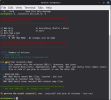
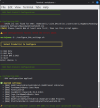
 Interactive/CLI product selection (B4A, B4J, or Both)
