Share My Creation Android TV with B4A

Android TV with B4A.
tv.png

Is it possible to make the app for Android TV with B4A?
Yes it is.
What we need?

Hardware:

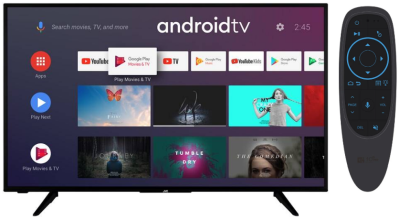
* Android TV (with bluetooth build in),
* Air Mouse Bluetooth Remote Control.
Look HERE.
or
Look HERE.

Software:
* B4A,
Look HERE.

* keyboard for android tv (LeanKey Keyboard),
Look HERE.

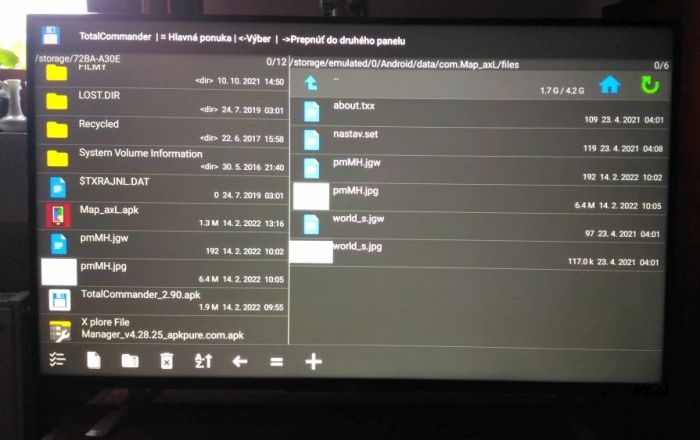
* - Total Commander (you can see "Android\Data" folder and you can copy files from USB stick to the "Android\Data folder").
total commander.jpg

Look HERE.

- or File Manager
Look HERE.

How to do:

1. Create app with B4A.
2. Create "banner.png" file (w: 320 x h: 180 pix) in "Object\res\drawable" in the app folder. Atribute of this file has to be: "only for read". Example file is attached in this post.
3. Copy these lines to the Manifest file by the Manifest Editor in the B4A:

B4X:
'This code will be applied to the manifest file during compilation.
'You do not need to modify it in most cases.
'See this link for for more information: http://www.b4x.com/forum/showthread.php?p=78136
AddManifestText(<uses-sdk android:minSdkVersion="14" android:targetSdkVersion="28"/>
                <supports-screens android:largeScreens="true"
                                  android:normalScreens="true"
                                  android:smallScreens="true"
                                  android:xlargeScreens="true"
                                  android:anyDensity="true"/>)

'SetApplicationAttribute(android:hardwareAccelerated, "true")
SetManifestAttribute("android:installLocation", "auto")
SetApplicationAttribute(android:icon, "@drawable/icon")
SetApplicationAttribute(android:label, "$LABEL$")

' TV Settings
AddManifestText(<uses-feature android:name="android.software.leanback"
                              android:required="false" />
                <uses-feature android:name="android.hardware.touchscreen"
                              android:required="false" />)

SetApplicationAttribute(android:banner, "@drawable/banner")

AddActivityText(Main,
                <intent-filter>
                <action android:name="android.intent.action.MAIN" />
                <category android:name="android.intent.category.LEANBACK_LAUNCHER" />
                </intent-filter>)
'End of default text.

4. Compile the APK file.
5. Copy APK file on the USB stick.
6. Instal APK file from USB stick to the Android TV with the file commander instaled on the Android TV.
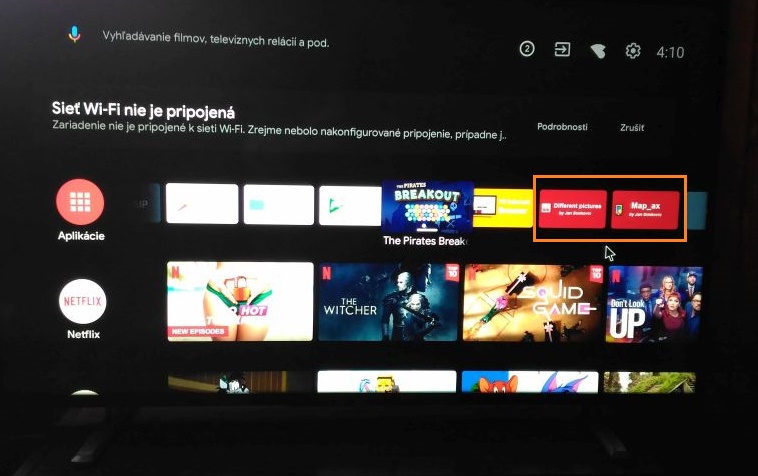
Map_Ax baner.jpg


You can try my free apps on the Android TV.

1. DifPic - simple different pictures game.
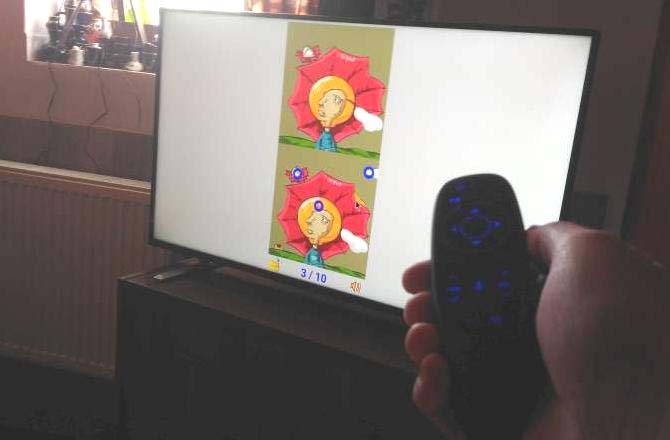
difpic.jpg


Look more HERE.

2. pMove - picture puzzle game.
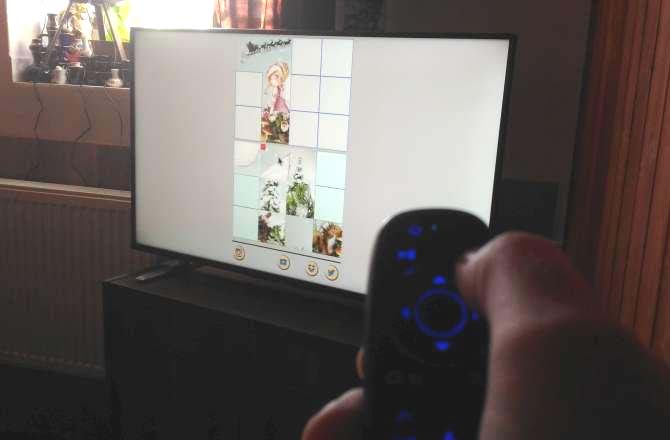
pmove.jpg


Look more HERE.

3) Map_AxL - offline jpg/jgw raster map application.
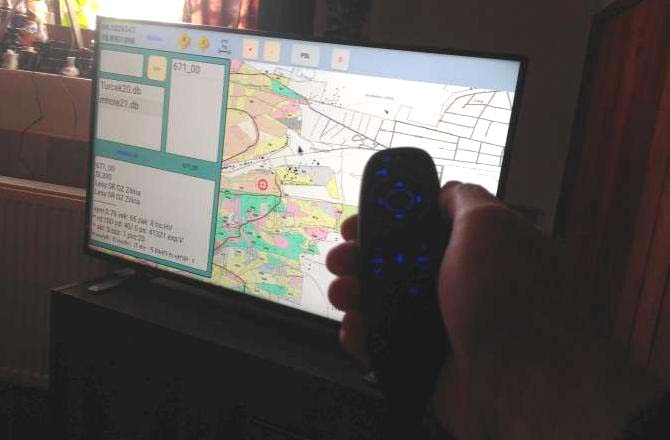
mapax.jpg


Look more HERE.

Enjoy
JS
 

Attachments

  • banner.png
    banner.png
    2.9 KB · Views: 595
Last edited:

JohnC

Expert
Licensed User
Longtime User
Thank you for posting this :)

I noticed the android:targetSdkVersion="64" in the manifest. That is a very high number - did you read somewhere that it had to be that high of a number?
 
Last edited:

js486dog

Active Member
Licensed User
Longtime User
Thank you for posting this :)

I notices the android:targetSdkVersion="64" in the manifest. That is a very high number - did you read somewhere that it had to be that high of a number?
Thanks. Changed to 28.
 

TILogistic

Expert
Licensed User
Longtime User
The previous post shows the parse of the M3U playlist.

and to display use

B4J
B4A:
B4X
See demo:
B4X:
'    MediaView1.Source = "https://ss3.domint.net:3134/otv_str/orbittv/playlist.m3u8" 'movie spanish
    MediaView1.Source = "https://59f1cbe63db89.streamlock.net:1443/retroplustv/_definst_/retroplustv/playlist.m3u8" 'Music
1644942602053.png
 

Attachments

  • MediaView.zip
    3 KB · Views: 608
Last edited:

TILogistic

Expert
Licensed User
Longtime User
list M3u free
Expand:
Playlists by category
Playlists by language
....
....
 

bparent

Member
Licensed User
Longtime User
The previous post shows the parse of the M3U playlist.

and to display use

B4J
B4A:
B4X
See demo:
B4X:
'    MediaView1.Source = "https://ss3.domint.net:3134/otv_str/orbittv/playlist.m3u8" 'movie spanish
    MediaView1.Source = "https://59f1cbe63db89.streamlock.net:1443/retroplustv/_definst_/retroplustv/playlist.m3u8" 'Music
View attachment 125573
How does one compile and run this on Android phone with B4X? Thanks.
 

TILogistic

Expert
Licensed User
Longtime User
see:
exoplayer-mediaplayer or SMM
B4X:
    Player1.Initialize("Player")
    
'    Dim Url As String  = "https://ss3.domint.net:3134/otv_str/orbittv/playlist.m3u8" 'movie spanish
    Dim Url As String  = "https://59f1cbe63db89.streamlock.net:1443/retroplustv/_definst_/retroplustv/playlist.m3u8" 'Music
    
    Player1.Prepare(Player1.CreateHLSSource(Url))
    SimpleExoPlayerView1.Player = Player1
    
    Player1.Play

1645037803008.png
 

TILogistic

Expert
Licensed User
Longtime User
full screen:
1645038473128.png
 

TILogistic

Expert
Licensed User
Longtime User
For new questions please create a new post.

I will not answer any more questions here.

And apologies to the creator of this post!!.

sorry
 

Sergio83

Active Member
Licensed User
Longtime User
Nice work!
I'm developping B4A apps for Amazon FireTV stick it works perfect to, but I get issues to highlight buttons with background image and custom list view items when using up and down keys ...
May be you've got the same issues and found a turn arround?
Any help will be appreciated!
 

aidymp

Well-Known Member
Licensed User
Longtime User
Nice work!
I'm developping B4A apps for Amazon FireTV stick it works perfect to, but I get issues to highlight buttons with background image and custom list view items when using up and down keys ...
May be you've got the same issues and found a turn arround?
Any help will be appreciated!

disable them! i had the same on my Firestick app.

Screenshot_20220217-220130 (Medium).jpg
 

js486dog

Active Member
Licensed User
Longtime User
Nice work!
I'm developping B4A apps for Amazon FireTV stick it works perfect to, but I get issues to highlight buttons with background image and custom list view items when using up and down keys ...
May be you've got the same issues and found a turn arround?
Any help will be appreciated!
Please create a new post about the problem. Little bit about it look HERE.
 

GabOlg

New Member
Android TV with B4A.

View attachment 125488
Is it possible to make the app for Android TV with B4A?
Yes it is.
What we need?

Hardware:

* Android TV (with bluetooth build in),
* Air Mouse Bluetooth Remote Control.
Look HERE.

Software:
* B4A,
Look HERE.

* keyboard for android tv (LeanKey Keyboard),
Look HERE.

* - Total Commander (you can see "Android\Data" folder and you can copy files from USB stick to the "Android\Data folder").
View attachment 125492
Look HERE.

- or File Manager
Look HERE.

How to do:

1. Create app with B4A.
2. Create "banner.png" file (w: 320 x h: 180 pix) in "Object\res\drawable" in the app folder. Atribute of this file has to be: "only for read". Example file is attached in this post.
3. Copy these lines to the Manifest file by the Manifest Editor in the B4A:

B4X:
'This code will be applied to the manifest file during compilation.
'You do not need to modify it in most cases.
'See this link for for more information: http://www.b4x.com/forum/showthread.php?p=78136
AddManifestText(<uses-sdk android:minSdkVersion="14" android:targetSdkVersion="28"/>
                <supports-screens android:largeScreens="true"
                                  android:normalScreens="true"
                                  android:smallScreens="true"
                                  android:xlargeScreens="true"
                                  android:anyDensity="true"/>)

'SetApplicationAttribute(android:hardwareAccelerated, "true")
SetManifestAttribute("android:installLocation", "auto")
SetApplicationAttribute(android:icon, "@drawable/icon")
SetApplicationAttribute(android:label, "$LABEL$")

' TV Settings
AddManifestText(<uses-feature android:name="android.software.leanback"
                              android:required="false" />
                <uses-feature android:name="android.hardware.touchscreen"
                              android:required="false" />)

SetApplicationAttribute(android:banner, "@drawable/banner")

AddActivityText(Main,
                <intent-filter>
                <action android:name="android.intent.action.MAIN" />
                <category android:name="android.intent.category.LEANBACK_LAUNCHER" />
                </intent-filter>)
'End of default text.

4. Compile the APK file.
5. Copy APK file on the USB stick.
6. Instal APK file from USB stick to the Android TV with the file commander instaled on the Android TV.

View attachment 125493


You can try my free apps on the Android TV.

1. DifPic - simple different pictures game.
View attachment 126228

Download APK for Android TV HERE.

Look more HERE.

2. pMove - picture puzzle game.
View attachment 126229

Download APK for Android TV HERE.

Look more HERE.

3) Map_AxL - offline jpg/jgw raster map application.
View attachment 126230

Download APK for Android TV HERE.

Look more HERE.

Enjoy
JS

Additionally, if you want to skip the hardware hassle while testing your B4A projects, using a universal tv remote app is a great way to control your Android TV directly from your smartphone without needing an extra Air Mouse.
The guide is helpful, but I’m stuck on a navigation issue that's making my app unusable on a standard remote.

I followed your manifest settings and got the Leanback launcher working, but once the app opens, I can't get the focus to move between buttons using the D-pad. It seems like the OS doesn't recognize the views as focusable by default since it’s not a touchscreen.

How did you handle the Remote Control D-pad focus in B4A? Thanks.
 

js486dog

Active Member
Licensed User
Longtime User
The guide is helpful, but I’m stuck on a navigation issue that's making my app unusable on a standard remote.

I followed your manifest settings and got the Leanback launcher working, but once the app opens, I can't get the focus to move between buttons using the D-pad. It seems like the OS doesn't recognize the views as focusable by default since it’s not a touchscreen.

How did you handle the Remote Control D-pad focus in B4A? Thanks.

For a "Standard TV remote control" try playing around with these program commands.

B4X:
Sub Process_Globals
    Dim Access As Accessibility
End Sub
Sub Activity_Create(FirstTime As Boolean)
    Access.SetNextFocusRight(L_den, L_mes)   'Go from - to
    Access.SetNextFocusUp(L_den, L_mes)
    Access.SetNextFocusLeft(L_zavri, L_uloz)
    Access.SetNextFocusDown(L_den, EditText2)
End Sub
Sub Activity_KeyPress (KeyCode As Int) As Boolean
    Select KeyCode
        Case KeyCodes.KEYCODE_VOLUME_UP
        Case KeyCodes.KEYCODE_VOLUME_DOWN
        Case KeyCodes.KEYCODE_MEDIA_FAST_FORWARD
        Case KeyCodes.KEYCODE_MEDIA_REWIND
        Case KeyCodes.KEYCODE_MEDIA_PLAY_PAUSE
        Case KeyCodes.KEYCODE_BACK
    End Select
End Sub

It is best to use an "Air Mouse Bluetooth Remote Control" not a "Standard TV remote control".

Regards
JS
 
Last edited:
Top